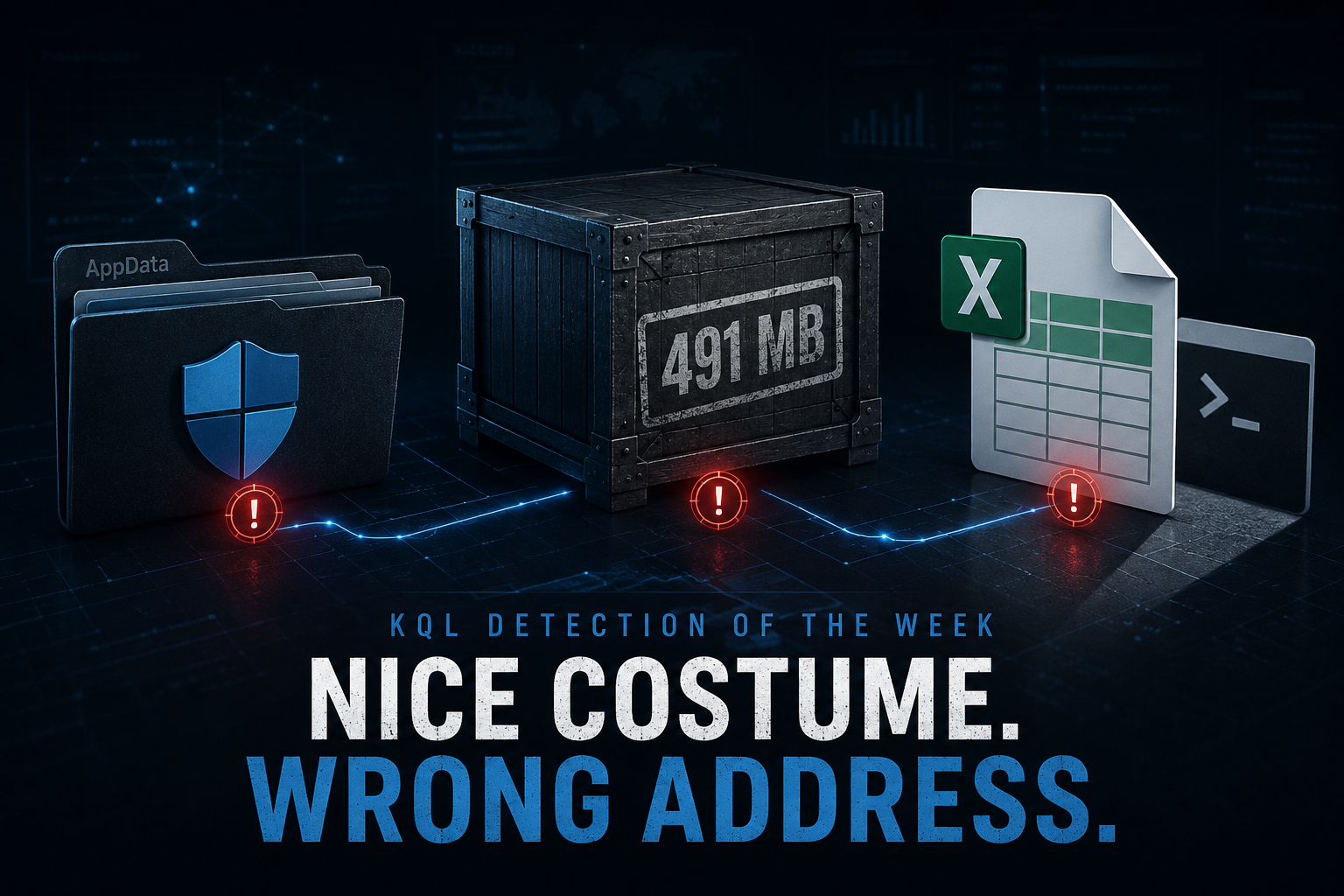
 This week’s seven briefs produced 27 KQL candidates across a Vidar-plus-XMRig malvertising wave hiding behind a forged code-signing certificate and a 491 MB null-byte suit, device-code phishing that sails straight past URL filters, an SMB session quietly upgraded into Meterpreter, a Peyara Remote Mouse RCE, Armored Likho’s BusySnake Python stealer, a GigaWiper destructor cosplaying as ransomware, HTML phishing from first-time external senders, and a brand-new unauthenticated RCE in an AI agent framework where the whole exploit ships as a spreadsheet.
Most of those detections do what good detections do: they watch a thing behave. PsExec spawns a shell over the wire. A wiper deletes shadow copies before it starts renaming files. A stealer beacons out to a Telegram bot. Behavior was the bread and butter again this week, and the briefs were full of it.
But the detections that stuck with me this week weren’t watching a behavior. They were watching a disguise — and then checking the one fact the disguise couldn’t fake.
That’s the tell that ties this week together. Three different pieces of malware showed up wearing a costume of something you already trust. One dressed as Windows Defender’s own DLL. One dressed as a file too big and boring to bother scanning. One dressed as an inert CSV. And in all three, the winning detection did the same thing: it ignored the costume entirely and checked provenance — where the thing loaded from, who wrote it and where it landed, and what process it was really born under. So this week’s KQL of the Week is a theme, told in three queries: nice costume. wrong address. Act I checks the name against the path. Act II checks the size against the author. The honorable mention checks the file type against the lineage.
🥇 Act I: the DLL wearing Defender’s uniform
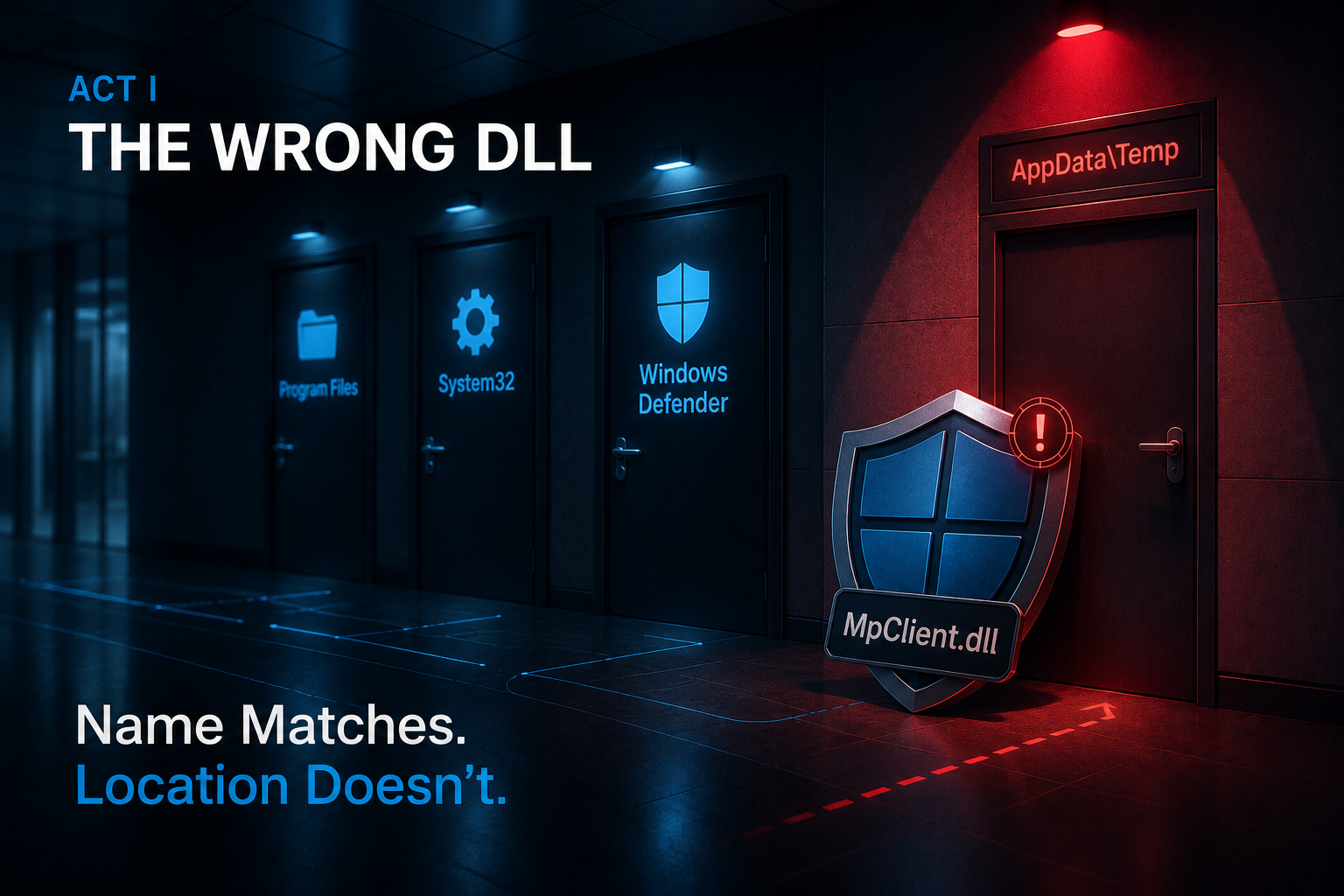
Here’s the problem the winning query solves.
This week Unit 42 unmasked a Vidar Stealer campaign that leans on a beautifully cynical trick: a Go-compiled fake MpClient.dll. MpClient.dll is a real Windows Defender component. The malicious copy exports the same function names the genuine one does — MpAllocMemory, MpConfigOpen, MpFreeMemory, and a dozen more — so that when a legitimate, signed binary goes looking for MpClient.dll, the operating system’s search order finds the impostor first and loads it. That’s DLL search-order hijacking, MITRE’s T1574.002, and the reason it works is that everything about the load looks like Defender doing Defender things. Trusted-looking loader, trusted-looking DLL name, trusted-looking exports.
The costume is the filename. MpClient.dll is trivially copied — it’s a string. Anyone can name a Go binary that. What the attacker cannot copy is Defender’s address: the genuine MpClient.dll only ever loads out of Defender’s own installation directories and a couple of Windows system paths. It does not load from Temp. It does not load from AppData. It does not load from a user’s Downloads folder next to a “cracked” installer.
So the detection stops trying to decide whether the DLL is malicious and asks a much simpler, much harder-to-evade question: is a DLL calling itself MpClient.dll loading from anywhere Defender’s real DLL never lives? The name is the claim. The path is the fact.
Think of a police uniform. Anyone can buy the uniform and pin on a badge that says the right thing — that’s the filename. The one thing the impostor can’t fake is being dispatched from the actual precinct. A “detective” who badged in through the loading dock is wearing the right uniform in exactly the wrong place, and the wrong place is the entire signal.
The KQL
DeviceImageLoadEvents
| where Timestamp > ago(7d)
| where FileName =~ "MpClient.dll"
| where not (
    FolderPath startswith @"C:\Program Files\Windows Defender"
    or FolderPath startswith @"C:\ProgramData\Microsoft\Windows Defender"
    or FolderPath startswith @"C:\Windows\System32"
    or FolderPath startswith @"C:\Windows\SysWOW64"
)
| project
    Timestamp,
    DeviceId,
    DeviceName,
    FolderPath,
    FileName,
    SHA256,
    InitiatingProcessFileName,
    InitiatingProcessFolderPath,
    InitiatingProcessCommandLine,
    InitiatingProcessSHA256,
    InitiatingProcessAccountName,
    InitiatingProcessAccountDomain
| order by Timestamp desc
The line that does the work
It’s this block:
| where not (
    FolderPath startswith @"C:\Program Files\Windows Defender"
    or FolderPath startswith @"C:\ProgramData\Microsoft\Windows Defender"
    or FolderPath startswith @"C:\Windows\System32"
    or FolderPath startswith @"C:\Windows\SysWOW64"
)
Read what that block is not. It isn’t a hash lookup. It isn’t a signature. It isn’t a reputation score. It’s a path allowlist, negated — a statement of the only places Defender’s own DLL is ever allowed to live, and then a filter for everything outside them. The FileName =~ "MpClient.dll" line above it matches the costume; this block is the address check. On its own the name match would fire on every legitimate Defender load in your fleet, thousands a day. Invert the known-good paths and the query collapses to just the loads that are wearing the uniform somewhere the uniform doesn’t belong.
That’s the reusable lesson, and it outlasts this one query: when malware masquerades as a trusted component, don’t try to prove the copy is bad — prove it’s in the wrong place. Reputation and hashes are a treadmill; the attacker recompiles the Go loader, changes the padding, and the hash is new again by morning. A location invariant is a wall, because “the real MpClient.dll loads only from Defender’s directories” is a fact about Windows, not a fact about this sample, and the attacker can’t recompile their way out of it. Unit 42’s own defender guidance lands in the same spot: watch for MpClient.dll loading from nonstandard paths.
Keeping it honest
This one is filed as a production candidate — a schedulable rule — but it earns that status only after you’ve cleared a few things, and it has real edges:
DeviceImageLoadEventsis a licensing gate, and a silent one. Image-load telemetry requires Defender for Endpoint Plan 2 (or an equivalent MDE tier). On Plan 1 that table is simply empty, and the rule sits there looking healthy while watching nothing. Confirm the table is populated on your target host population before you trust a clean result —DeviceImageLoadEvents | where FileName =~ "MpClient.dll" | summarize count() by DeviceNameshould return your real Defender loads, and if it returns nothing, you have a coverage problem, not a quiet environment.- A nonstandard Defender install root will bury you. If Defender is deployed to a custom drive letter or path, every legitimate load from that root falls outside the allowlist and false-positives forever. Add your actual install path to the
startswithexclusions, and confirm what that path is per-image rather than assumingC:\Program Files\Windows Defender. - The path check tells you where, not whether. This rule fires on any
MpClient.dlloutside the allowed paths regardless of intent — a rare AV-interoperability shim or a deployment tool that stages Defender components in a temp directory looks identical to Vidar at this layer. The DLL and the initiating-process SHA256 are already projected for exactly this reason: the path check gets you the candidate; hash prevalence and reputation get you the verdict. Prioritize by whether the loader is unsigned, low-prevalence, and running from a user-writable directory. - Costume, not chain. This catches the sideload. It does not catch the code-signing lure that got the loader executed in the first place (the campaign forged an Authenticode certificate impersonating a legitimate brand so victims click through the trust warning), and it does not catch the payload’s next move. That’s fine — it’s one act. But don’t mistake a quiet result here for “no Vidar,” because the same sample is also padded to hide from your file scanners, which is Act II.
Act I catches the costume in the wrong place. It says nothing about the sample that was deliberately built to be too big to look at — because that’s the next disguise.
🥈 Act II: the file that was too big to search
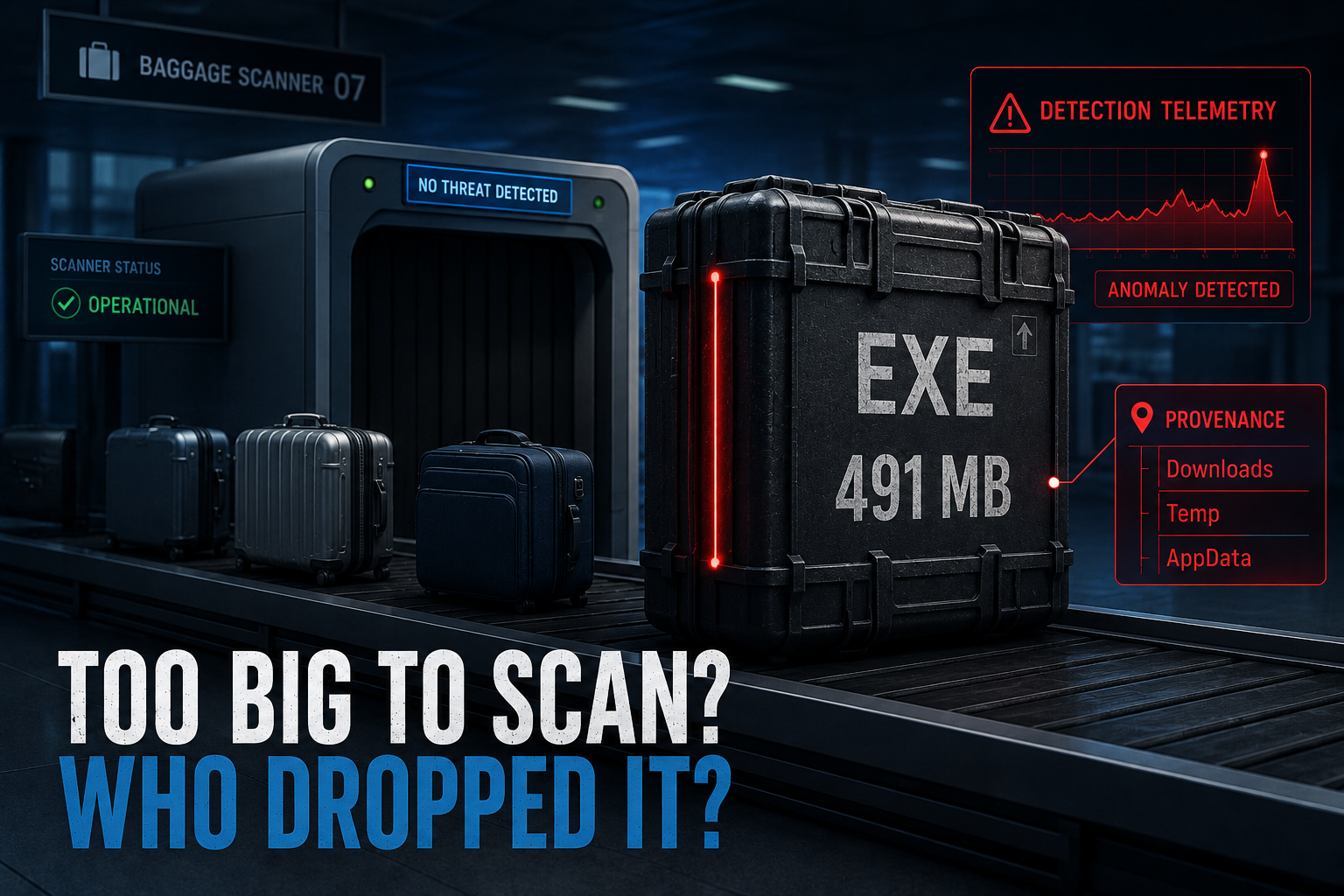
Same idea, a different disguise.
The same Vidar campaign wore a second costume, and it’s one of the more elegant evasions of the year: file inflation. The loaders in this campaign append hundreds of megabytes of null bytes after the last PE section, pushing some samples as high as 491 MB — while the actual malicious content in the largest observed sample is roughly 2.3 MB. The other ~489 MB is padding. Nothing. Zeroes.
Why bother? Because most automated sandboxes and a lot of AV pipelines enforce an upper file-size limit — commonly 50–100 MB — and silently skip anything larger. The oversized submission never detonates in the analysis environment, so it never gets a verdict, so it sails through. The costume here is “I’m too big and boring to be worth your time.” It’s binary padding, MITRE T1027.001, and it works precisely because your tooling was configured, reasonably, to not waste cycles on giant files.
Here’s the judo. The exact property the attacker chose to make the file invisible — its absurd size — becomes the most conspicuous thing about it the moment you stop asking “is this file too big to scan?” and start asking “who wrote a file this big, and where did they put it?” A 200 MB executable is completely unremarkable when msiexec.exe or a Windows updater drops it into Program Files. That same 200 MB executable is a screaming anomaly when a browser child process or an unpacked archive tool writes it into AppData\Local\Temp. The size that was meant to be camouflage only stays camouflage if nobody checks the two things a real installer would satisfy and a dropper won’t: legitimate authorship and a legitimate landing zone.
It’s a suitcase so oversized the airport scanner waves it through because it won’t fit on the belt. Fine — but a 90-pound “carry-on” that showed up in the residential mailbox, dropped there by someone who isn’t the mail carrier, is the whole tell. You didn’t need to open it. You needed to notice who left it, and where.
The KQL
DeviceFileEvents
| where Timestamp > ago(7d)
| where ActionType in ("FileCreated", "FileModified")
| where FileName endswith ".exe" or FileName endswith ".dll"
| where isnotnull(FileSize) and FileSize > 52428800
| where not (
    InitiatingProcessFileName has_any (
        "msiexec.exe", "setup.exe", "install.exe", "winget.exe",
        "MicrosoftEdgeUpdate.exe", "WindowsUpdateBox.exe",
        "wuauclt.exe", "TiWorker.exe", "TrustedInstaller.exe"
    )
)
| where not (
    FolderPath startswith @"C:\Windows\"
    or FolderPath startswith @"C:\Program Files\"
    or FolderPath startswith @"C:\Program Files (x86)\"
)
| extend HighRiskPath = (
    FolderPath has_any ("AppData", "Temp", "Downloads", "Desktop", "Public")
)
| project
    Timestamp,
    DeviceName,
    DeviceId,
    FileName,
    FolderPath,
    FileSize,
    SHA256,
    InitiatingProcessFileName,
    InitiatingProcessFolderPath,
    InitiatingProcessCommandLine,
    InitiatingProcessSHA256,
    HighRiskPath
| order by FileSize desc
The line that does the work
Not the size gate. This one:
| where not (
    InitiatingProcessFileName has_any (
        "msiexec.exe", "setup.exe", "install.exe", "winget.exe",
        "MicrosoftEdgeUpdate.exe", "WindowsUpdateBox.exe",
        "wuauclt.exe", "TiWorker.exe", "TrustedInstaller.exe"
    )
)
The FileSize > 52428800 line is the eye-catcher, but on its own it’s almost pure noise — game clients, IDEs, and browser updaters all write big binaries all day. The size gate doesn’t make this a detection. The authorship exclusion does. Big files are normal; big files not written by an installer, updater, or servicing binary are rare, and the ones landing in AppData, Temp, or Downloads (which the HighRiskPath flag lifts to the top) are the population Vidar’s inflated loader lives in. The size is the lure; the “who wrote it, and where” is the tell that converts the lure into signal.
The reusable primitive is the sibling of Act I’s: an evasion property is only camouflage until you pair it with provenance. Last act it was name-versus-path. This act it’s size-versus-author. Same move — take the thing the attacker did to disappear, and reframe it as an anomaly by asking who caused it. And notice this rule doesn’t need to know anything about Vidar. It’s a masquerade detector: any oversized PE written by a non-installer into a user-writable path is worth a look, this campaign or the next one.
Keeping it honest
The briefs kept this one as hunting-only, and correctly — it’s a strong hunt with false-positive edges you have to close before it’s schedulable:
FileSizeisn’t guaranteed to be populated, and a null silently drops the row. For someActionTypevalues and sensor versionsFileSizecomes back empty, andFileSize > 52428800quietly discards those events with no error. Validate the population rate first —DeviceFileEvents | where FileName endswith ".exe" | summarize Populated = countif(isnotnull(FileSize)), Total = count()— so you know whether the filter is watching most of your writes or a fraction of them.- The 50 MB threshold is a starting line, not a constant. Run the query with the size filter removed first and look at the real distribution of large PE writes in your environment before you commit to 52428800. A shop full of game launchers and build agents may need a higher floor; a locked-down fleet can go lower and catch more.
- The installer exclusion list is not exhaustive, and that’s where the noise hides. SCCM, Intune, custom updaters, and enterprise deployment tools all legitimately write large binaries and none of them are in that
has_any. Baseline the survivors during the hunt, then build an allowlist of known-good(SHA256, InitiatingProcessFileName)pairs before you even think about scheduling.FileProfile()on the SHA256 to surface low-prevalence large files is the fastest path from “big file” to “big rare file.” - Padding is cheap to change. 491 MB is this campaign’s number, not a law. The next crew pads to 60 MB, or strips the padding once it’s past your sandbox. The durable version of this hunt isn’t “files over 491 MB” — it’s the shape: unusually large PE + non-installer author + user-writable landing + low prevalence. Tune the number; keep the shape.
Act I and Act II are the same sentence about the same campaign, told twice. A DLL wore Defender’s name in the wrong place. A loader wore a size meant to make it un-scannable. Neither detection argued with the costume. Both checked the receipt. The last act ports the exact move off the endpoint and onto something much newer.
🎖 Honorable Mention: the spreadsheet that was actually a shell
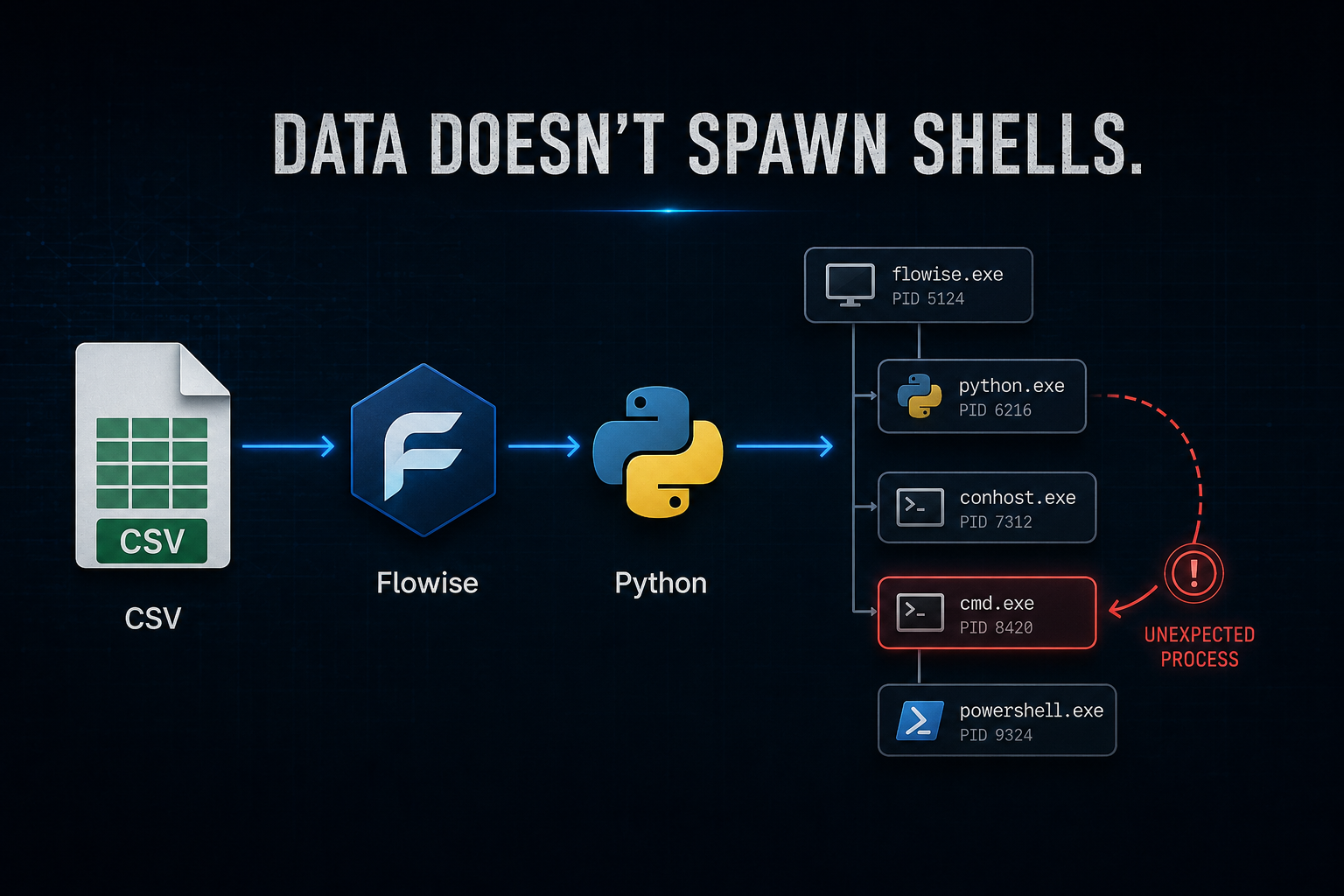
If Act I and Act II win on the masquerade lesson, the week’s freshest detection wins on where the puck is going — and it wears the same disguise one more way.
This week’s Rapid7 wrap shipped a Metasploit module for CVE-2026-41264, an unauthenticated RCE in FlowiseAI Flowise — a popular open-source, drag-and-drop builder for LLM apps and AI agents. The vulnerable feature is the CSV Agent. You hand it a CSV, and its CSV_Agents class stands up a Python environment, uses the file to build a prompt, asks an LLM to answer questions about your data, and then evaluates the Python the LLM produces — without proper sandboxing. Through prompt injection, an attacker crafts a CSV that steers the model into emitting attacker-controlled Python, which the server dutifully runs as the account hosting Flowise. ZDI rates it 9.8; Rapid7’s module reaches versions 1.3.0 through 3.0.13, and the fix landed in 3.1.0.
Read the disguise. A CSV is supposed to be inert — rows and columns, data, the most boring file type there is. That’s the costume. Underneath, this CSV is code, and the server treats it as code. It’s MITRE T1190 (exploit public-facing application) chained into T1059 (Python execution), and it defeats every instinct that says “it’s just a data file.”
You could try to inspect the CSV. Don’t. The costume is the file’s type, and the one thing the exploit can’t fake is lineage: a web server does not, in the course of serving data, give birth to a Python interpreter. Data doesn’t fork a shell. So the detection ignores the file and reads the process tree — a python child whose parent is node/flowise is the exploit’s fingerprint, correlated against a fresh CSV dropped into the app’s working directory in the seconds before.
It’s the trick from the old joke about handing a librarian a book to reshelve — and the book whispers instructions, and the librarian walks off to rewire the building. You’ll never catch it by reading the cover. You catch it the instant the librarian picks up a screwdriver.
let lookback = 1h;
let csvUploads = DeviceFileEvents
| where Timestamp > ago(lookback)
| where ActionType == "FileCreated"
| where FileName endswith ".csv"
| where FolderPath has_any ("flowise", "uploads", "tmp")
| project DeviceName, CSVCreatedTime = Timestamp, CSVFile = FileName, FolderPath;
DeviceProcessEvents
| where Timestamp > ago(lookback)
| where FileName in~ ("python", "python3", "python3.exe", "python.exe")
| where InitiatingProcessFileName has_any ("node", "flowise")
| project
    DeviceName,
    PythonSpawnTime = Timestamp,
    AccountName,
    ProcessCommandLine,
    InitiatingProcessFileName,
    InitiatingProcessCommandLine,
    InitiatingProcessParentFileName,
    SHA256,
    InitiatingProcessSHA256
| join kind=leftouter csvUploads on DeviceName
| where isnull(CSVCreatedTime) or PythonSpawnTime between (CSVCreatedTime .. (CSVCreatedTime + 5min))
| project
    DeviceName,
    AccountName,
    PythonSpawnTime,
    ProcessCommandLine,
    InitiatingProcessFileName,
    InitiatingProcessCommandLine,
    InitiatingProcessParentFileName,
    SHA256,
    InitiatingProcessSHA256,
    CSVCreatedTime,
    CSVFile,
    FolderPath
| order by PythonSpawnTime desc
The line that does the work is the lineage assertion: where FileName in~ ("python", "python3", ...) | where InitiatingProcessFileName has_any ("node", "flowise"). You never parse the CSV, never fingerprint the payload. You establish that the Flowise web process spawned a Python interpreter, and you carry the CSV drop alongside it so triage can see the “data” that triggered the “code.” The leftouter join is a deliberate sensitivity choice — it surfaces the python-from-node spawn even when no correlated CSV is found, trading review volume for not missing the case where the file telemetry lags or the path filter misses.
The honest catch — and it’s a sharp one worth saying out loud, because it’s exactly the kind of thing that makes a rule quietly lie to you: Flowise runs that Python inside a Pyodide (WebAssembly) runtime, in-process, inside Node. Depending on how the payload escapes that layer, you may never see a clean, separate python.exe child at all — the interpreter is inside the Node process, not beside it. So treat the literal python-child match as the high-confidence case, not the only case. The more durable host-side signal is any unexpected non-Node child of the Flowise process (a shell, curl, a dropped binary) plus the companion signal the briefs paired with it: the CSV file drop in the app directory correlated to an inbound connection on the Flowise port (default 3000). Scope DeviceName to your real Flowise hosts and replace the broad ("flowise","uploads","tmp") path fragments with your actual upload directory before this is anything but a hunt — and remember MDE process/network telemetry on macOS and Linux Flowise hosts doesn’t always capture every parent-child or inbound relationship, so confirm the tables are populated on those hosts first.
But the reason it earns the mention: it’s the same move as the two Vidar acts, ported to the newest attack surface on the board. The DLL wore a trusted name; check the path. The loader wore a harmless size; check the author. The CSV wore the costume of data; check the lineage. Don’t argue with what it calls itself. Check where it came from. That question ages well — it worked on a 2005 DLL trick and it works on a 2026 AI agent. Signatures don’t age like that.
The bigger lesson
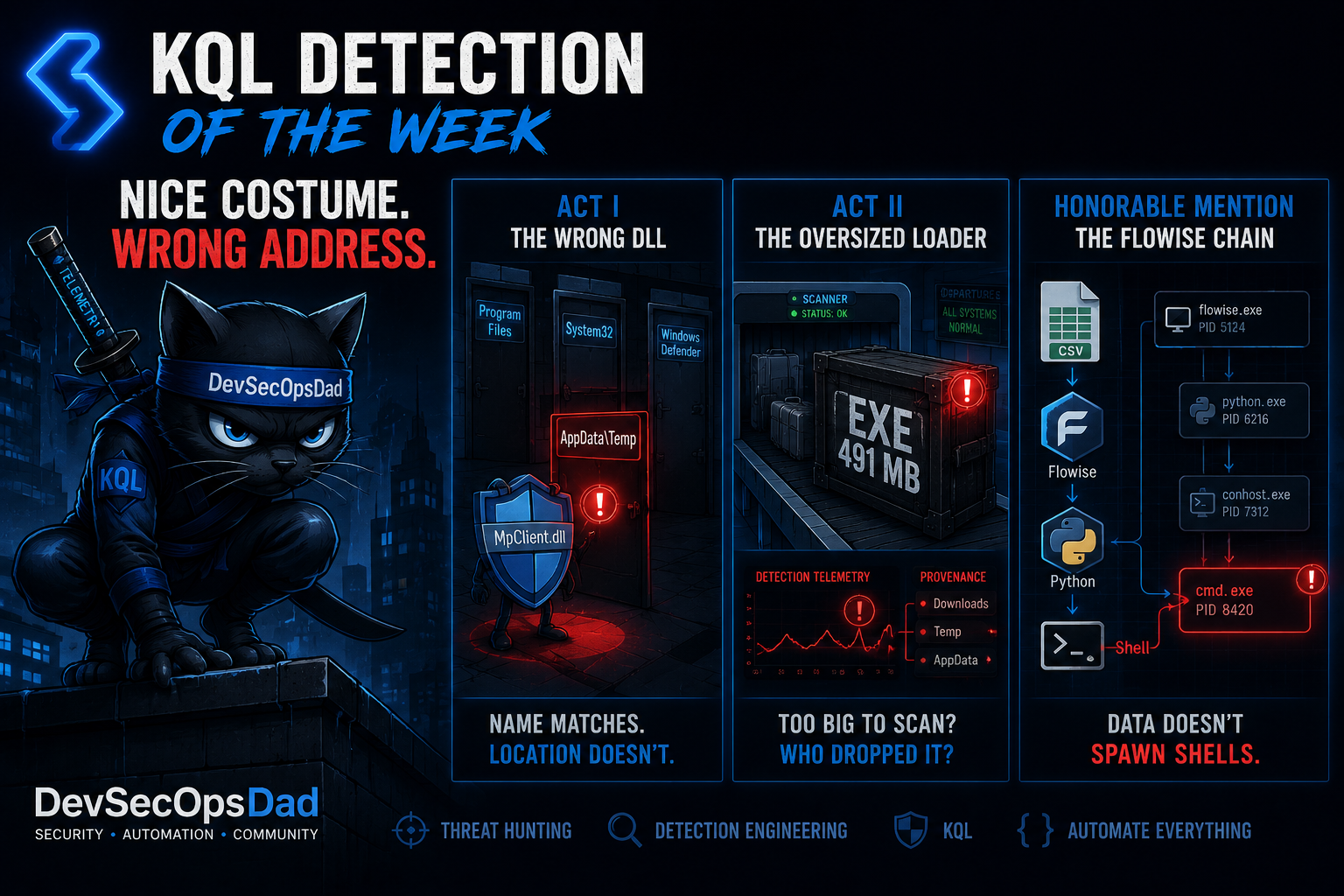
Seven briefs, and the detections that mattered most weren’t the most complex KQL. They were the ones that refused to take a file, a DLL, or an upload at its word.
- When it wears a trusted name, check the path. A fake
MpClient.dllis indistinguishable from the real one by name — that’s the point of the disguise. But the genuine article only ever loads from Defender’s own directories, so a Defender-named DLL loading fromTempis caught by a fact about Windows, not a fact about the sample (Act I). Location invariants survive recompiles; hashes don’t. - When it wears an evasion, check the author. File inflation makes a loader too big for your sandbox to bother with — until you stop asking whether it’s too big and start asking who wrote a 200 MB executable into
AppData(Act II). The property built to make it invisible becomes the anomaly the instant you pair it with provenance. - When it wears the costume of data, check the lineage. A CSV that’s really a prompt-injection RCE looks like a spreadsheet right up until the web server spawns a Python interpreter to run it. Data doesn’t fork a shell (honorable mention). The reusable question across all three — and the same one that ran through last week’s identity acts: where did this actually come from? — never is this specific thing bad?
Every one of those came straight out of this week’s daily briefs — each detection shipped with ATT&CK mappings, telemetry requirements, deployment gates, triage runbooks, false-positive notes, and an honest readiness call. Twenty-seven of them this week.
This kind of detection content is published daily — fresh threat intel translated straight into deployable detections, so you spend your time tuning and shipping instead of reading and re-deriving — that’s the whole point of the Daily Detection Engineering Brief at DevSecOpsDadAttack.com.
Helpful Links and References:
This Week’s Detection engineering Briefs:
- Monday, 6th July
- Tuesday, 7th July
- Wednesday, 8th July
- Thursday, 9th July
- Friday, 10th July
- Saturday, 11th July
- Sunday, 12th July
DevSecOpsdadAttack Tags:
- detection-engineering
- kql
- Vidar Stealer
- MpClient.dll
- DLL Sideloading
- File Inflation
- XMRig
- T1574.002
- T1027
- T1027.001
- T1036
- Flowise
- CVE-2026-41264
- T1190
- T1059
- Metasploit
- Microsoft Sentinel
- Defender XDR
- Windows
External Sources:
- Unit 42. Vidar Stealer Unmasked: Code Signing Abuse, Go Loaders and File Inflation. https://unit42.paloaltonetworks.com/vidar-stealer-xmrig-miner-campaign-analysis/
- Rapid7. Weekly Metasploit Update: Exploits for FlowiseAI CSV Agent and MacOS Package Kit. https://www.rapid7.com/blog/post/pt-weekly-metasploit-update-exploits-for-flowiseai-csv-agent-and-macos-package-kit/
- Zero Day Initiative. ZDI-26-364: Flowise CSV Agent Prompt Injection Remote Code Execution Vulnerability (CVE-2026-41264). https://www.zerodayinitiative.com/advisories/ZDI-26-364/
Stay Ahead of Emerging Threats
Looking for actionable threat intelligence and detection engineering insights?
DevSecOpsDadAttack publishes daily:
📈 Threat Intelligence Briefs focused on active campaigns, exploitation trends, and operational risk
🛠️ Detection Engineering Briefs with ATT&CK mappings, telemetry requirements, KQL detections, tuning guidance, and triage workflows
🔍 Practical analysis designed for SOC teams, threat hunters, detection engineers, and security leaders
Visit DevSecOpsDadAttack.com for the latest intelligence and detection content.
📚 Want to go deeper?
Anyone can aggregate threat intel. Very few teams can prove why they acted—or why they didn’t.
The below books are about closing that gap; turning curated signal into defensible decisions across KQL, PowerShell, and the Microsoft security stack.
🛠️ KQL Toolbox: Turning Logs into Decisions in Microsoft Sentinel
🧰 PowerShell Toolbox: Hands-On Automation for Auditing and Defense
📖 Ultimate Microsoft XDR for Full Spectrum Cyber Defense
Real-world detections, Sentinel, Defender XDR, and Entra ID — end to end.