 This week’s six briefs produced 29 KQL candidates (the Friday automation decided to take a personal day) across continued Flowise CSV-agent exploitation, a GigaWiper destructor, HTML phishing from first-time external senders, live internet scanning for exposed MCP servers and AI assistant credentials, ShinyHunters OAuth consent and guest-account abuse, a SharePoint JWT authentication bypass (CVE-2026-55040), OkoBot droppers writing into Chromium extension storage, TuxBot ELF deployments from world-writable Linux directories, a SonicWall SMA1000 root RCE, the AsyncAPI npm supply-chain compromise, AWS IAM policy persistence, a second SharePoint RCE wave (CVE-2026-58644), a WordPress core RCE (CVE-2026-63030), and ACR Stealer riding ClickFix lures into browser credential stores.
Most of those detections do what detections have always done: they watch for something to happen. A web worker spawns a shell. A script host reads Login Data. A wiper deletes shadow copies. Presence-hunting was the bread and butter again this week, and the briefs were full of it.
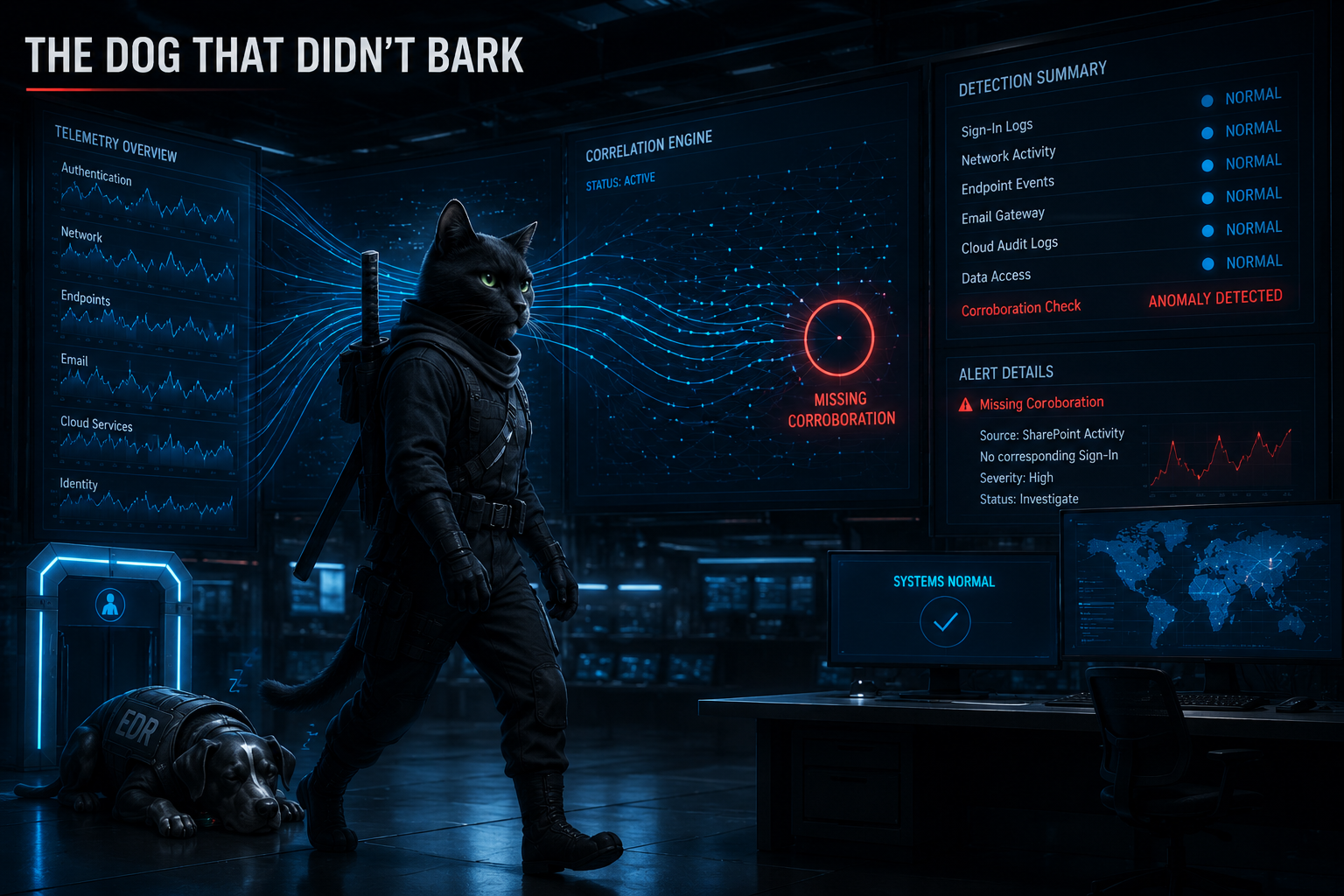
But the detections that stuck with me this week weren’t watching for something to happen. They were watching for something that should have happened — and didn’t.
There’s a Sherlock Holmes story, Silver Blaze, where the entire case turns on “the curious incident of the dog in the night-time.” The dog did nothing in the night-time. That was the curious incident. The watchdog stayed silent, which meant the intruder was someone the dog knew — and the absence of the bark carried more evidence than any bark could have.
Three of this week’s detections are built on exactly that move. One catches a SharePoint session that produced no sign-in. One catches a CI config change that no legitimate editor made. One catches a build talking to a server no build should know. In every case the attacker forged the presence flawlessly — a valid-looking token, a plausible file write, a successful connection — and got caught by the corroborating event they couldn’t forge, because it lives in a log they don’t control. So this week’s KQL of the Week is a theme, told in three queries: the dog that didn’t bark. Act I listens for the missing sign-in. Act II listens for the missing author. The honorable mention listens for the missing destination.
🥇 Act I: The Session with No Sign-in
Here’s the problem the winning query solves.
This week Rapid7 detailed CVE-2026-55040, a JWT token authentication bypass in Microsoft SharePoint. The short version: an attacker can mint or manipulate a token that SharePoint accepts as genuine, and walk straight into sites and documents as an authenticated user. It’s MITRE T1190, and it’s a nasty class of bug for defenders, because the activity it produces looks perfect. OfficeActivity records a clean, successful SharePoint operation. Valid user. Valid operation. ResultStatus == "Succeeded". There is nothing anomalous about the event itself, because from SharePoint’s point of view, nothing anomalous occurred — it was handed a token it trusts.
You cannot catch this by staring harder at the SharePoint log. Every field in it is the forgery working as intended.
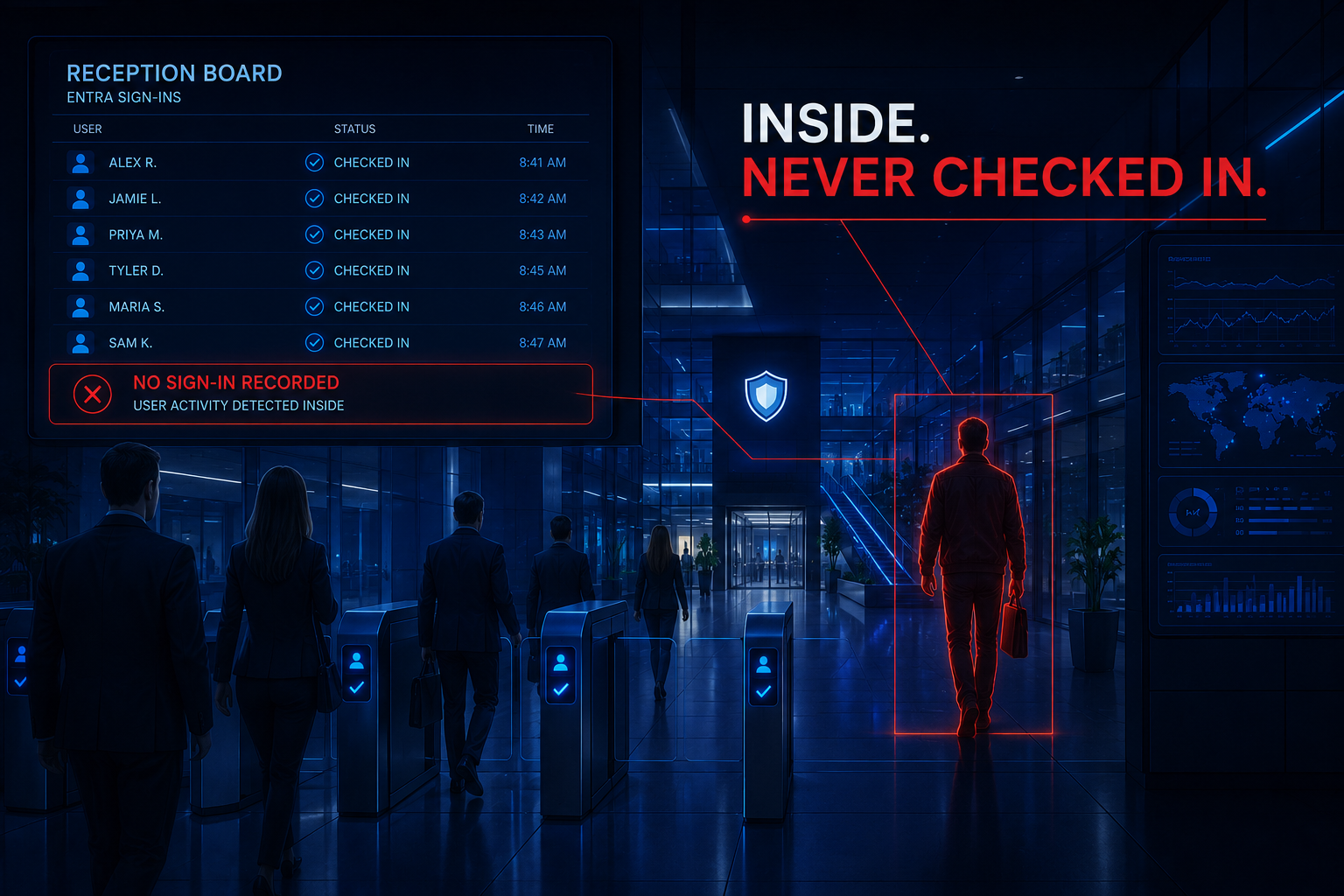
But here’s what the forged token cannot do: it cannot go back in time and make Entra ID issue it. A legitimate SharePoint session has a birth certificate — a successful sign-in, interactive or non-interactive, recorded in a different log the attacker never touched. The bypass skips the front desk entirely. Which means somewhere in your workspace there’s a SharePoint session walking the hallways, and the front desk has no record of checking it in. The sign-in log is the dog. For this session, the dog didn’t bark.
So the detection stops interrogating the event that exists and goes hunting for the event that doesn’t: for every successful SharePoint operation, does a matching sign-in exist for that user from that IP? Surface the ones where the answer is no.
The KQL
let accessWindow = 1d;
let signinWindow = 2d;
let sharepoint_access = OfficeActivity
| where TimeGenerated > ago(accessWindow)
| where OfficeWorkload == "SharePoint"
| where ResultStatus =~ "Succeeded"
| extend CompositeKey = strcat(tolower(UserId), "|", ClientIP)
| project SPTime = TimeGenerated, UserId, ClientIP, Operation, SiteUrl, CompositeKey;
let all_signins = union
    (SigninLogs
    | where TimeGenerated > ago(signinWindow)
    | where ResultType == 0
    | project CompositeKey = strcat(tolower(UserPrincipalName), "|", IPAddress)),
    (AADNonInteractiveUserSignInLogs
    | where TimeGenerated > ago(signinWindow)
    | where ResultType == 0
    | project CompositeKey = strcat(tolower(UserPrincipalName), "|", IPAddress))
| distinct CompositeKey;
sharepoint_access
| join kind=leftanti all_signins on CompositeKey
| project SPTime, UserId, ClientIP, Operation, SiteUrl
| order by SPTime desc
The line that does the work
It’s this one:
| join kind=leftanti all_signins on CompositeKey
Read what leftanti actually does, because it inverts the mental model of every other join you write. An inner join answers “show me the rows that matched.” A leftanti join answers “show me the rows that found no match” — it keeps every SharePoint access whose composite key appears nowhere in the sign-in set, and throws away everything that checked in properly. The right side of a leftanti contributes nothing to the output. No columns, no values. Its entire contribution is its absence. You are literally querying for silence.
Two supporting choices make the silence trustworthy. First, the composite key: strcat(tolower(UserId), "|", ClientIP) folds who and from where into a single normalized string on both sides, which does three jobs at once — it case-normalizes the UPN, it lets SigninLogs and AADNonInteractiveUserSignInLogs union cleanly into one alibi set despite their different column names, and it makes the join condition a single unambiguous key instead of a multi-column condition you have to reason about. Second, the asymmetric lookback: SharePoint access is scoped to 1 day, but the sign-in set reaches back 2. That’s deliberate. Tokens are long-lived; a session accessed today may have been born yesterday. If both windows were equal, every long-lived session would look like a bypass at the window’s edge, and your “silence” would be an artifact of your own lookback.
That’s the reusable lesson, and it outlasts this CVE: when the forged event is indistinguishable from a real one, stop examining the event and demand its corroboration. The attacker controls every field of the log entry their action generates. They do not control the other log — the one their bypass specifically avoided writing to. An auth bypass is, by definition, the absence of an auth event. Detect the absence.
Keeping it honest
The briefs filed this one as hunting-only, and that’s the right call — absence-based detection is powerful and fragile, because anything that makes the alibi set incomplete manufactures false silence:
- The alibi set must actually be complete, or the query lies.
AADNonInteractiveUserSignInLogsis not enabled in every Sentinel workspace. If it’s absent, the union silently degrades to interactive sign-ins only, and every token-refresh session in your tenant becomes a “bypass.” Verify the table is present and populated before trusting a single result:AADNonInteractiveUserSignInLogs | summarize count() by bin(TimeGenerated, 1d). Same for the Office 365 connector — if it’s not configured,OfficeActivityis empty and the query returns a clean, meaningless nothing. - The IP is the weakest link in the composite key. NAT, VPN egress, proxies, and CDN infrastructure can present a different
ClientIPto SharePoint than theIPAddressEntra recorded at sign-in — same user, same legitimate session, two IPs, no match, false alarm. If you see systematic mismatches, consider keying on user alone as a lower-precision first pass, or normalizing both sides before you tighten back up. - Some principals legitimately never bark. Service accounts and workload identities using application permissions produce SharePoint activity with no user sign-in at all — that’s by design, not bypass. Sync clients and mobile apps with device-bound tokens can look similar. Build the exclusion list for automation UPN patterns during the hunt, before this goes anywhere near a scheduled rule.
- Absence is a lead, not a verdict. This query cannot distinguish “no sign-in exists” from “no sign-in exists in the data I can see.” Ingestion lag, retention edges, and sign-ins predating the window all produce the same silence as CVE-2026-55040. The triage move is always the same: widen the sign-in search for that user and IP before you call it exploitation. The dog that didn’t bark is only evidence once you’ve confirmed the dog was awake, on duty, and within earshot.
Act I catches the missing check-in. The next act moves from the cloud to the build pipeline, where the missing thing isn’t an event — it’s a person.
🥈 Act II: the config change nobody made
Same idea, a different silence.
This week Microsoft unpacked the AsyncAPI npm supply-chain compromise, and Unit 42’s updated npm threat landscape called out where these intrusions go once they land: CI/CD persistence. The attacker doesn’t just run once inside your build — they edit the build’s definition. A malicious step slipped into .github/workflows, a doctored Jenkinsfile, an extra job in .gitlab-ci.yml — and now the pipeline re-infects itself on every subsequent run, with the pipeline’s own credentials, wearing the pipeline’s own name. It’s T1554 wearing your CI’s badge.
Here’s what makes it hard: a write to a workflow file is the single most normal event in a development environment. Developers edit workflows constantly. Runners check them out on every build. Dependabot rewrites them in PRs. You cannot alert on the write.
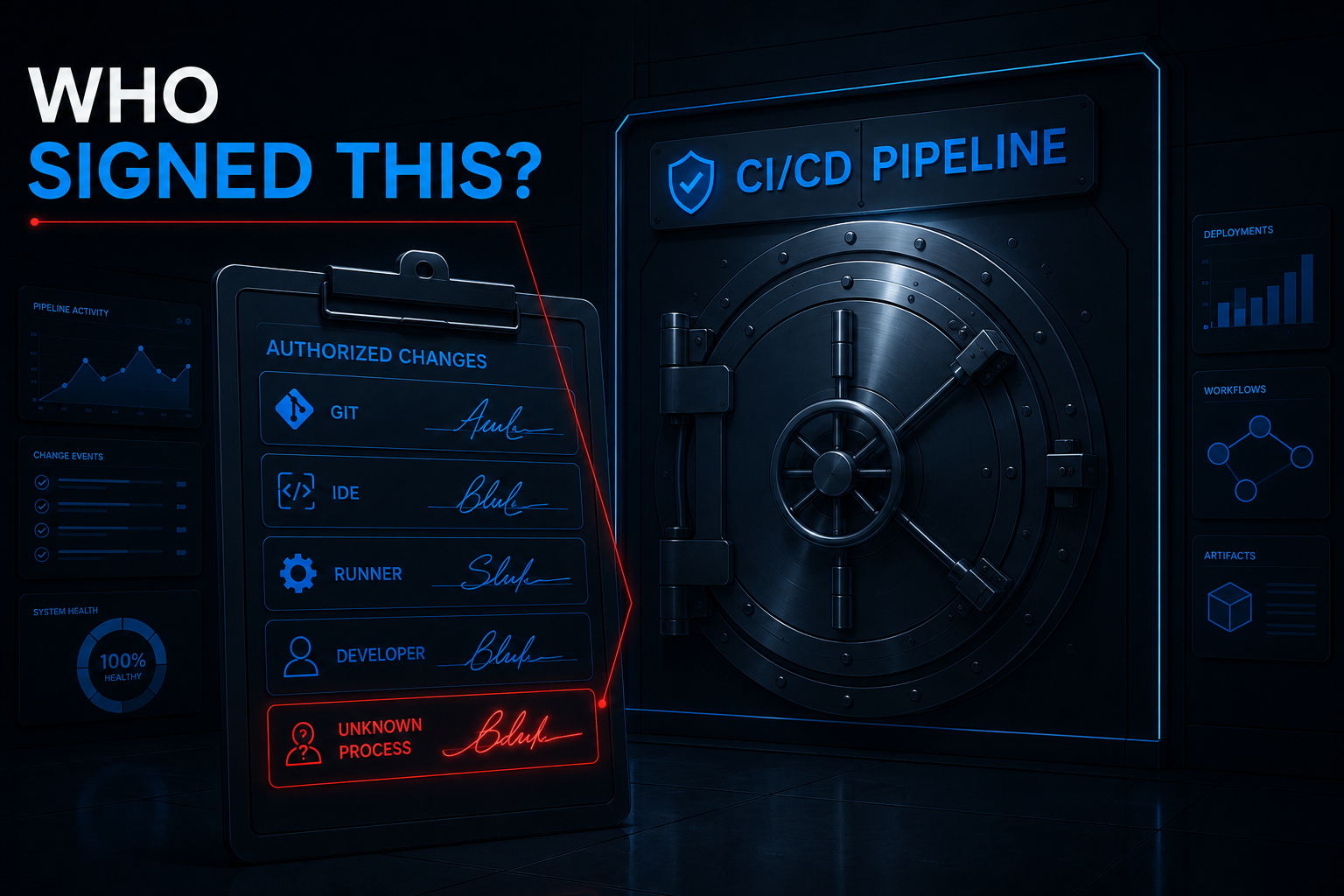
But think about who writes those files. It’s a short list — and it’s genuinely, enumerably short. git writes them during checkout and pull. Your editors write them when a human saves. The runner agent touches them during job setup. That’s essentially the entire legitimate population. A workflow file is like a bank vault’s signature card: only a handful of named signatories may ever sign, and the alarm condition isn’t a bad-looking signature — it’s any signature from off the card. A payload dropped by a compromised npm install doesn’t get to be git. When node, or powershell, or some freshly-dropped binary modifies .github/workflows/deploy.yml, the legitimate author is the dog that didn’t bark: this change has no editor, no checkout, no human behind it.
The KQL
DeviceFileEvents
| where TimeGenerated > ago(1d)
| where ActionType in ("FileCreated", "FileModified", "FileRenamed")
| where
    FolderPath has_any (
        @".github\workflows", ".github/workflows",
        ".gitlab-ci", ".circleci", ".travis",
        "azure-pipelines"
    )
    or FileName in~ (
        ".gitlab-ci.yml", "Jenkinsfile", ".travis.yml",
        "circle.yml", "azure-pipelines.yml", ".drone.yml"
    )
| where InitiatingProcessFileName !in~ (
    "git", "git.exe",
    "code", "code.exe",
    "idea", "idea64.exe",
    "vim", "nano", "emacs",
    "runner", "runner.exe",
    "agent", "agent.exe"
)
| project
    TimeGenerated,
    DeviceName,
    InitiatingProcessAccountName,
    InitiatingProcessFileName,
    InitiatingProcessFolderPath,
    InitiatingProcessCommandLine,
    ActionType,
    FolderPath,
    FileName,
    SHA256
| order by TimeGenerated desc
A KQL note…
One practical fix over the brief’s original: the path filter now carries both separators — @".github\workflows" alongside ".github/workflows". DeviceFileEvents reports Windows paths with backslashes, so a forward-slash-only fragment silently skips every Windows checkout in your fleet while the rule sits there looking healthy. That’s the flavor of silent failure that never throws an error and never fires an alert, and it’s worth thirty seconds of DeviceFileEvents | where FolderPath has "workflows" | take 10 to confirm what your environment actually emits.
The line that does the work
Not the path match. This block:
| where InitiatingProcessFileName !in~ (
    "git", "git.exe",
    "code", "code.exe",
    ...
)
The path filter finds every touch of a CI definition — which, alone, is a firehose of pure noise, because touching CI definitions is what development is. The author exclusion converts the firehose into a detection. It’s the signature card, inverted: enumerate the complete set of processes with any legitimate reason to write these files, then alert on the complement. The write is normal; the write with no legitimate author on record is the persistence attempt. Same grammar as Act I — there, the missing corroboration was a sign-in event in another table; here, it’s a process identity on a short list — and in both, the detection is defined entirely by what fails to appear.
And notice this rule knows nothing about AsyncAPI, npm, or this campaign. It’s a pipeline-tamper detector. Whatever the next supply-chain compromise is named, its persistence step still has to write a workflow file, and it still won’t get to be git when it does.
Keeping it honest
The briefs marked this one a production candidate, and it can get there — but the exclusion list is both the engine and the liability:
- A name-only exclusion is spoofable, and
agent.exeis barely a name at all.InitiatingProcessFileName !in~ ("git.exe", ...)excludes anything calling itself git — an attacker who drops their payload asgit.exein a temp directory walks straight through, and generic entries likeagent/runnerexclude half the software industry by accident. Before scheduling, harden the allowlist to(FileName, FolderPath)pairs or signer checks —git.exefromC:\Program Files\Git\is a different animal thangit.exefrom%TEMP%. - The legitimate-author list is longer than you think, and every gap is a false positive. Dependabot and Renovate rewrite workflows in automated PRs. IDE format-on-save helpers write under names like
Code Helper. IaC tools generate workflow files programmatically. Run this as a hunt first,summarize count() by InitiatingProcessFileName, InitiatingProcessFolderPath, and build the real list from your baseline rather than mine. has_anyis substring matching, and substrings are greedy. A repo directory that happens to containazure-pipelinesanywhere in a nested path matches. That’s mostly acceptable noise, but know it’s there before you wonder why a documentation folder is alerting.- Coverage is the silent gate. Self-hosted CI runners without the MDE agent produce no
DeviceFileEventsat all — and unmanaged runners are precisely where this attack prefers to live. A quiet result on a fleet you haven’t onboarded is a coverage gap wearing a clean bill of health. Older agent versions may also report differentActionTypestrings; confirmFileCreated/FileModifiedare what your sensors actually emit.
Act I found the missing sign-in. Act II found the missing author. The last act listens for one more silence — on the wire.
🎖 Honorable Mention: The Build that Called a Stranger
If Acts I and II win on the absence lesson, the week’s third listener wins on where it points the microphone — the network behavior of the build itself.
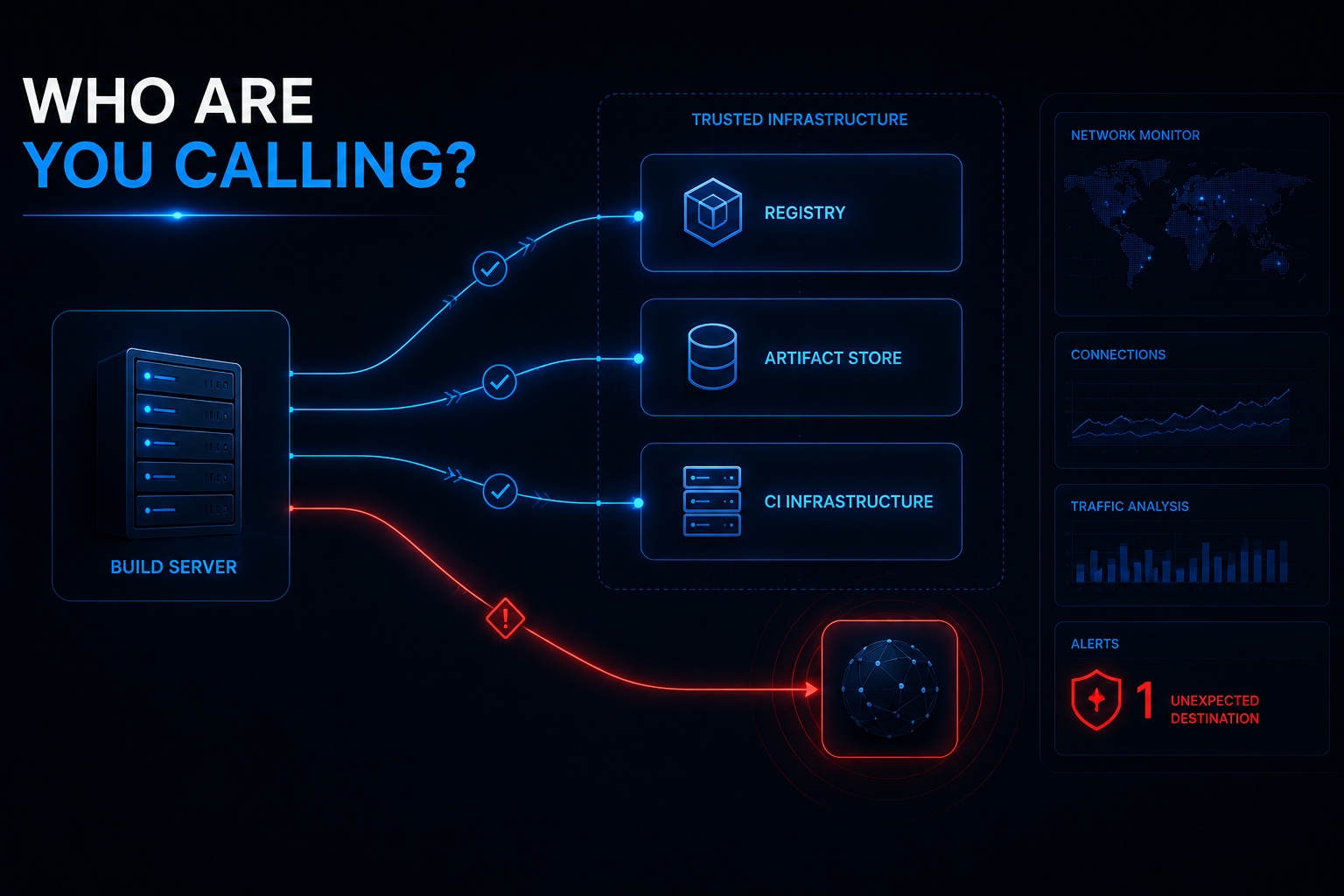
Same AsyncAPI campaign, earlier in the chain. Before the persistence of Act II comes the delivery: a compromised package executes at import time and phones out for its payload, mid-install. And here the absence being violated isn’t an event or an author — it’s the known universe of destinations. An npm install is one of the most predictable network actors in your environment. It talks to the registry. Maybe your Artifactory or Nexus mirror. That’s approximately the entire itinerary, build after build, thousands of times a day. It’s a factory machine that only ever calls its supplier — so the night it dials a number nobody recognizes, you don’t need to decode the conversation. The unrecognized number is the finding.
let KnownRegistries = dynamic([
    "registry.npmjs.org",
    "registry.yarnpkg.com"
]);
let BuildEvents = DeviceProcessEvents
| where TimeGenerated > ago(7d)
| where InitiatingProcessCommandLine has_any ("npm install", "npm ci", "npm run")
| project DeviceName, BuildTime = TimeGenerated, BuildCommandLine = InitiatingProcessCommandLine;
DeviceNetworkEvents
| where TimeGenerated > ago(7d)
| where ActionType == "ConnectionSuccess"
| where InitiatingProcessFileName in~ ("npm", "node", "node.exe", "npm.cmd")
| where not(ipv4_is_private(RemoteIP))
    and not(ipv4_is_in_range(RemoteIP, "127.0.0.0/8"))
    and not(ipv4_is_in_range(RemoteIP, "100.64.0.0/10"))
| where (isnotempty(RemoteUrl) and not(RemoteUrl has_any (KnownRegistries)))
    or isempty(RemoteUrl)
| join kind=inner BuildEvents on DeviceName
| where abs(datetime_diff('second', TimeGenerated, BuildTime)) < 120
| summarize
    NearbyBuilds = dcount(BuildTime),
    BuildCommandLine = take_any(BuildCommandLine)
    by TimeGenerated, DeviceName, InitiatingProcessFileName,
       InitiatingProcessCommandLine, RemoteUrl, RemoteIP, RemotePort
| order by TimeGenerated desc
The line that does the work is the destination filter: not(RemoteUrl has_any (KnownRegistries)) or isempty(RemoteUrl). It’s Act II’s signature card drawn on the network — enumerate everywhere a build is supposed to call, alert on the complement — and the isempty(RemoteUrl) half is a deliberate sensitivity choice worth reading twice. RemoteUrl isn’t reliably populated in DeviceNetworkEvents; a raw-IP connection with no URL can’t be cleared by a hostname allowlist, so the query includes it rather than letting it slide through unjudged. Connections that can’t prove where they went get treated as strangers. That’s the right default for a hunt — and a guaranteed noise source, since it means CDN-fronted and IP-only traffic to perfectly legitimate endpoints lands in your results too.
Two honest catches, both from the original brief version, both the kind of thing that makes a query quietly lie:
The RFC1918 trap. The brief’s draft excluded private space with RemoteIP startswith "172." — which suppresses all of 172.0.0.0/8, when only 172.16.0.0/12 is private. Everything in 172.32–172.255 is public, routable internet — and that draft would have silently allowlisted an attacker’s C2 sitting anywhere in it. The version above swaps the string prefixes for ipv4_is_private() plus explicit ranges for loopback and CGNAT, which says what it means and can’t over-suppress. String operations on IP addresses are how allowlists grow invisible holes; KQL has real IP functions — use them.
The fan-out. The original ended at the inner join, and an inner join on DeviceName alone multiplies: a busy CI runner with five npm invocations inside the 120-second window turns one suspicious connection into five result rows — same event, counted five times, inflating your review queue and quietly corrupting any statistics you compute downstream. The closing summarize collapses the fan-out back to one row per network event and keeps NearbyBuilds as an honest count of how many builds were in the vicinity. If a join can match many-to-one, decide on purpose what one row means — don’t let the join decide for you.
The briefs kept this hunting-only and it should stay that way until you’ve expanded KnownRegistries with every private registry and artifact store you actually use, scoped DeviceName to real CI runner groups, and tuned that 120-second window against your actual install durations. But the reason it earns the mention: it completes the set. The sign-in that never happened. The author who was never there. The destination that was never on the list. Three logs, one grammar.
✨ Bonus: leftanti, the join that keeps what didn’t match
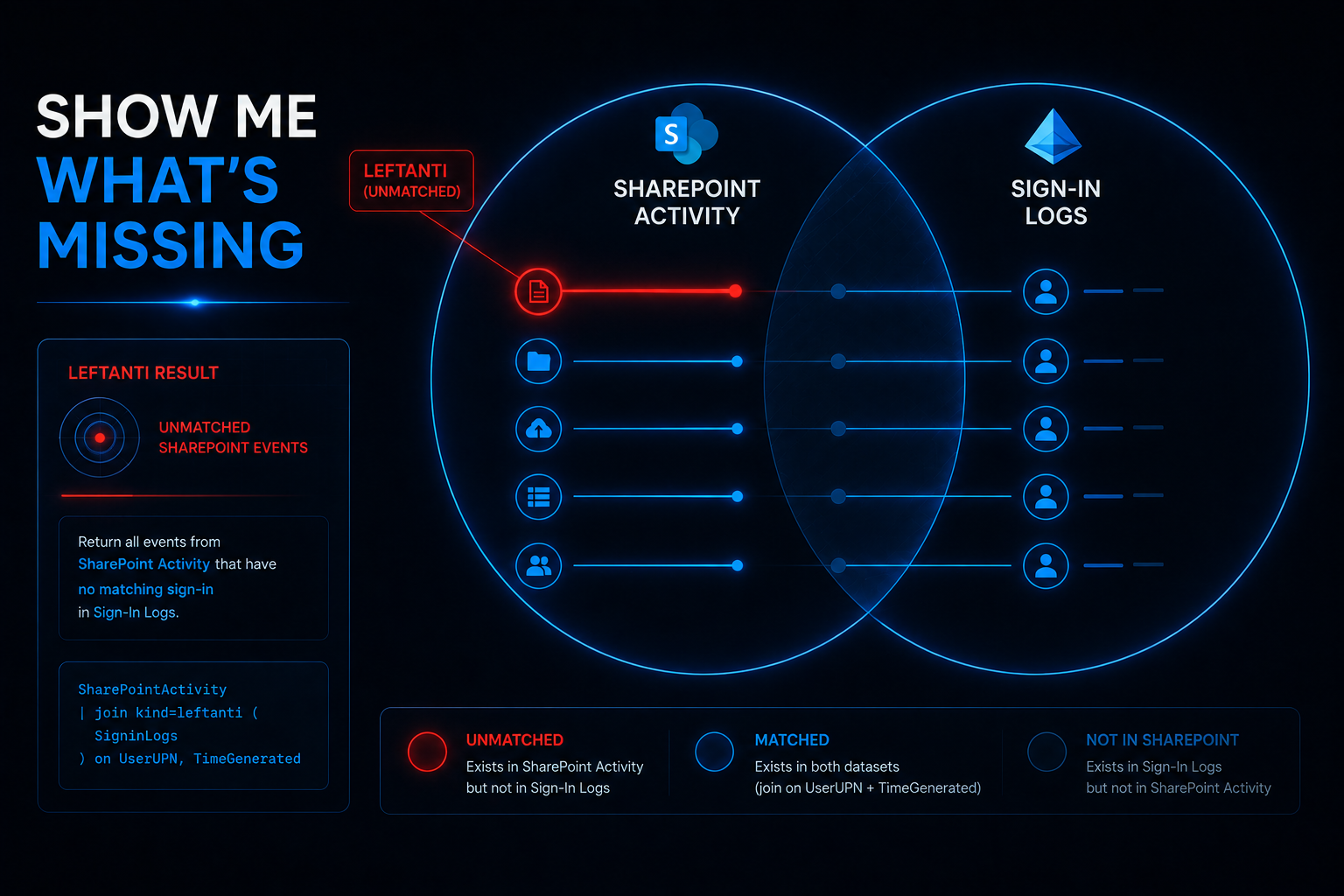
Act I leaned on a join flavor most analysts write twice a year, so it’s worth pulling apart properly — because leftanti is the single most direct way KQL lets you query for absence, and it has a couple of sharp edges that will quietly hand you wrong answers if you don’t know they’re there.
The join family, in one table
Every KQL join answers the same question — for each row on the left, is there a matching key on the right? — and the kind= decides what you keep:
| kind | What you get back | Columns in output | Plain English |
|---|---|---|---|
inner |
Left rows with a match, multiplied per match | Left + right | “Show me the pairs” |
leftouter |
Every left row; right columns filled where matched, null where not | Left + right | “Show me everything, annotated” |
leftsemi |
Left rows with a match, once each | Left only | “Show me who has an alibi” |
leftanti |
Left rows without a match | Left only | “Show me who has no alibi” |
Two things jump out of that table. First, leftsemi and leftanti are mirror twins — they partition the left side into “matched” and “didn’t,” and neither returns a single right-side column. Second, and this matters for correctness: leftanti cannot fan out. An inner join with five matching right rows turns one left row into five output rows — the exact duplication the honorable mention had to summarize away. A leftanti doesn’t care whether the right side would have matched zero times or a thousand; a left row either survives once or not at all. Duplicates in your alibi set cost you performance, never correctness. (The distinct CompositeKey in Act I is a courtesy to the query engine, not a requirement of the logic.)
If you prefer the procedural mental model: leftanti is where Key !in (( subquery )) wearing a join’s clothes. Semantically identical for a single key. The join form earns its keep the moment your “key” is really user AND IP together — which is exactly why Act I welds them into one strcat composite before joining, instead of juggling multi-column conditions.
The three ways leftanti lies to you
An anti-join’s output is only as honest as its match logic, and a failed match is the detection. That means every accidental mismatch manufactures a finding. The three classic ways:
- Join keys are case-sensitive. Full stop.
Alice@contoso.comon the left andalice@contoso.comon the right do not match, and withleftantithat non-match doesn’t just drop a row — it surfaces one, as a fake bypass. UPNs are the worst offenders because different tables case them differently. This is why the composite key in Act I runs throughtolower()on both sides before anything else. Withinnerjoins, case drift loses you results and you notice the silence; withleftanti, case drift creates results and they look like exactly what you were hunting for. That asymmetry is the whole reason anti-joins deserve extra paranoia. - Empty keys always “fail to match.” A left row whose key is empty or null can never find a partner, so it appears in your output every single time — a permanent resident of your findings. If
ClientIPis blank on someOfficeActivityoperations (and for some operation types, it is), those rows aren’t bypasses; they’re telemetry gaps cosplaying as bypasses. Gate the left side withisnotempty()on every key component, or at minimum know which of your “findings” are really blanks. - The default join isn’t the one you meant. Write
| join Table on Keywith nokind=and KQL gives youinnerunique— which not only isn’t an anti-join, it’s a join that arbitrarily deduplicates the left side first. Forgettingkind=leftantidoesn’t error; it silently inverts your logic and hands you the matched population instead of the unmatched one. Always say the kind out loud.
The self-check that makes anti-joins trustworthy
Here’s the habit worth stealing, and it costs one throwaway query. Because leftsemi and leftanti partition the left side, their counts must sum to the whole:
let SP = OfficeActivity
| where TimeGenerated > ago(1d)
| where OfficeWorkload == "SharePoint" and ResultStatus =~ "Succeeded"
| where isnotempty(UserId) and isnotempty(ClientIP)
| extend CompositeKey = strcat(tolower(UserId), "|", ClientIP);
let Alibis = SigninLogs
| where TimeGenerated > ago(2d) and ResultType == 0
| project CompositeKey = strcat(tolower(UserPrincipalName), "|", IPAddress)
| distinct CompositeKey;
union
    (SP | join kind=leftsemi Alibis on CompositeKey | summarize Rows = count() | extend Population = "Matched (has alibi)"),
    (SP | join kind=leftanti Alibis on CompositeKey | summarize Rows = count() | extend Population = "Unmatched (no alibi)"),
    (SP | summarize Rows = count() | extend Population = "Total")
If Matched + Unmatched != Total, your join is broken — usually an empty-key or normalization problem — and you found out in thirty seconds instead of after a week of triaging phantom bypasses. And read the ratio while you’re there: if 40% of your SharePoint operations have “no alibi,” you don’t have a mass exploitation event, you have an incomplete alibi set — a missing sign-in table, an unonboarded auth path, an IP normalization gap. A healthy anti-join detection returns a sliver. When absence is common, the absence isn’t the signal; your blind spot is.
One last performance note for when the left side is a firehose: leftanti keeps left rows, so you can’t shrink the left without changing the question — but you can and should shrink the right. distinct the alibi keys (done above), and if the alibi set is small, join hint.strategy=broadcast kind=leftanti ships it to every node instead of shuffling your firehose across the cluster. Same answer, a fraction of the wait.
The one-line takeaway: leftsemi proves presence, leftanti proves absence, and absence is only evidence after you’ve proven the match logic can’t miss. Normalize the keys, gate the empties, name the kind, and check that the partition sums. Then — and only then — the silence means something.
The Bigger Lesson
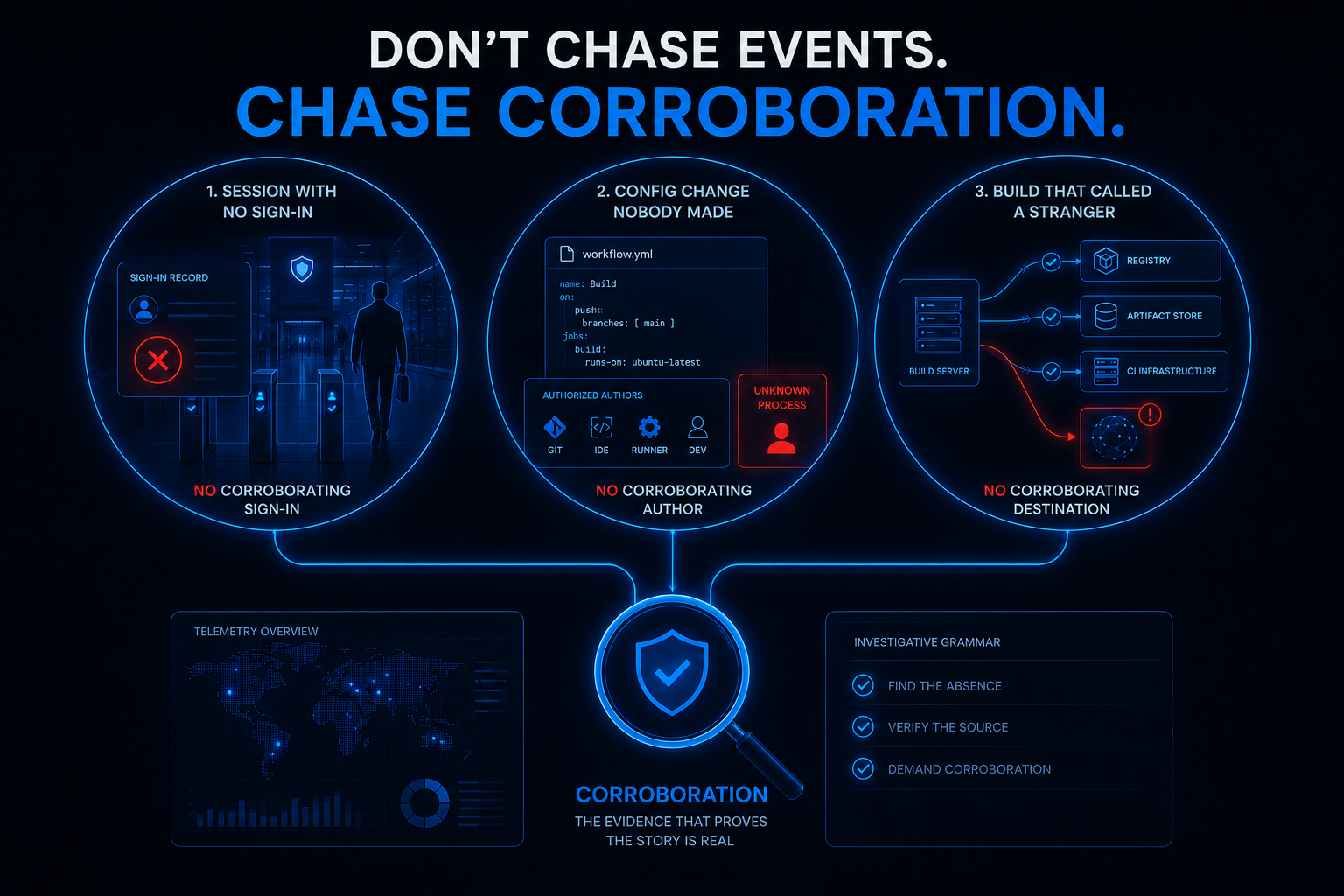
Six briefs, and the detections that mattered most weren’t hunting for an artifact. They were auditing an alibi.
- When the event can be forged, demand its corroboration. A bypassed authentication produces a flawless access log — every field of it is the forgery succeeding. But the attacker can’t retroactively write the sign-in their bypass skipped, so the
leftantijoin catches them in the log they didn’t touch (Act I). The forged event is under the attacker’s control; its missing corroboration never is. - When the action is normal, check for the missing author. A workflow-file write is the most ordinary event in a dev environment — until you enumerate the short list of processes allowed to make it and alert on everyone else (Act II). The write wasn’t suspicious. The absence of
git, an editor, or a runner behind it was the whole finding. - When the actor is predictable, check for the missing destination. An npm install has a known itinerary. A build that calls anywhere off that list — or anywhere that can’t even present a hostname — has some explaining to do (honorable mention). And when you correlate to prove it, collapse the join fan-out on purpose, or your one finding becomes five.
Last week’s theme was provenance — where did this come from? This week is its mirror: what should have come with it, and where is it? Presence can be forged, renamed, padded, and disguised. The corroborating record in a log the attacker never touched cannot. Sometimes the strongest signal in the SOC is a silence, and the whole craft is knowing which dog was supposed to bark.
Every one of these came straight out of this week’s daily briefs — each detection shipped with ATT&CK mappings, telemetry requirements, deployment gates, triage runbooks, false-positive notes, and an honest readiness call. Twenty-nine of them this week.
This kind of detection content is published daily — fresh threat intel translated straight into deployable detections, so you spend your time tuning and shipping instead of reading and re-deriving — that’s the whole point of the Daily Detection Engineering Brief at DevSecOpsDadAttack.com.
Helpful Links and References:
This Week’s Detection engineering Briefs:
- Monday, 13th July
- Tuesday, 14th July
- Wednesday, 15th July
- Thursday, 16th July
- Saturday, 18th July
- Sunday, 19th July
DevSecOpsdadAttack Tags:
- detection-engineering
- kql
- CVE-2026-55040
- SharePoint
- Authentication Bypass
- JWT
- leftanti
- Anti-Join
- npm
- AsyncAPI
- Supply Chain
- CI/CD
- T1190
- T1554
- T1105
- T1071
- Microsoft Sentinel
- Defender XDR
- Windows
External Sources:
- Rapid7. CVE-2026-55040: Microsoft SharePoint JWT Token Authentication Bypass (FIXED). https://www.rapid7.com/blog/post/ve-cve-2026-55040-microsoft-sharepoint-jwt-token-authentication-bypass-fixed
- Microsoft Security Blog. Unpacking the AsyncAPI npm Supply Chain Compromise and Import-Time Payload Delivery. https://www.microsoft.com/en-us/security/blog/2026/07/15/unpacking-asyncapi-npm-supply-chain-compromise-import-time-payload-delivery/
- Unit 42. The npm Threat Landscape: Attack Surface and Mitigations (Updated July 15). https://unit42.paloaltonetworks.com/monitoring-npm-supply-chain-attacks/
Stay Ahead of Emerging Threats
Looking for actionable threat intelligence and detection engineering insights?
DevSecOpsDadAttack publishes daily:
📈 Threat Intelligence Briefs focused on active campaigns, exploitation trends, and operational risk
🛠️ Detection Engineering Briefs with ATT&CK mappings, telemetry requirements, KQL detections, tuning guidance, and triage workflows
🔍 Practical analysis designed for SOC teams, threat hunters, detection engineers, and security leaders
Visit DevSecOpsDadAttack.com for the latest intelligence and detection content.
📚 Want to go deeper?
Anyone can aggregate threat intel. Very few teams can prove why they acted—or why they didn’t.
The below books are about closing that gap; turning curated signal into defensible decisions across KQL, PowerShell, and the Microsoft security stack.
🛠️ KQL Toolbox: Turning Logs into Decisions in Microsoft Sentinel
🧰 PowerShell Toolbox: Hands-On Automation for Auditing and Defense
📖 Ultimate Microsoft XDR for Full Spectrum Cyber Defense
Real-world detections, Sentinel, Defender XDR, and Entra ID — end to end.